


Web Scraper API
Fetch real-time data from 100+ websites,No development or maintenance required.
SCRAPING SOLUTIONS
Get accurate and in real-time results sourced from Google, Bing, and more.
With 120+ prebuilt and custom scrapers ready for any use case.
No blocks, no CAPTCHAs—unlock websites seamlessly at scale.
Execute scripts in stealth browsers with full rendering and automation
PROXY INFRASTRUCTURE
Over 100 million real residential IPs from genuine users across 190+ countries.
Reliable mobile data extraction, powered by real 4G/5G mobile IPs.
For time-sensitive tasks, utilize residential IPs with unlimited bandwidth.
Fast and cost-efficient IPs optimized for large-scale scraping.
SCRAPING SOLUTIONS
PROXY INFRASTRUCTURE
DATA FEEDS
Full details on all features, parameters, and integrations, with code samples in every major language.
LEARNING HUB
ALL LOCATIONS Proxy Locations
TOOLS
RESELLER
Get up to 50%
Contact sales:partner@thordata.com
Products $/GB
Fetch real-time data from 100+ websites,No development or maintenance required.
Get real-time results from search engines. Only pay for successful responses.
Execute scripts in stealth browsers with full rendering and automation.
Bid farewell to CAPTCHAs and anti-scraping, scrape public sites effortlessly.
Dataset Marketplace Pre-collected data from 100+ domains.
Over 100 million real residential IPs from genuine users across 190+ countries.
Reliable mobile data extraction, powered by real 4G/5G mobile IPs.
For time-sensitive tasks, utilize residential IPs with unlimited bandwidth.
Fast and cost-efficient IPs optimized for large-scale scraping.

Data for AI $/GB
Pricing $0/GB
Docs $/GB
Full details on all features, parameters, and integrations, with code samples in every major language.
Resource $/GB
EN $/GB
产品 $/GB
AI数据 $/GB
定价 $0/GB
产品文档 $/GB
资源 $/GB
简体中文 $/GB

BitBrowser mainly realizes multiple browser windows and multiple accounts (FB/TK/X/WS..), to prevent the occurrence of associated accounts between windows. Each window simulates independent computer information and proxy IP addresses to make the environments independent and isolated from each other, thereby improving account security! Deeply developed using Google and Firefox kernels, it achieves a safe and pure environment effect at the physical level. There is 100% no correlation between browser windows. The multi-employee collaborative management function, it improves your account security and operational efficiency!
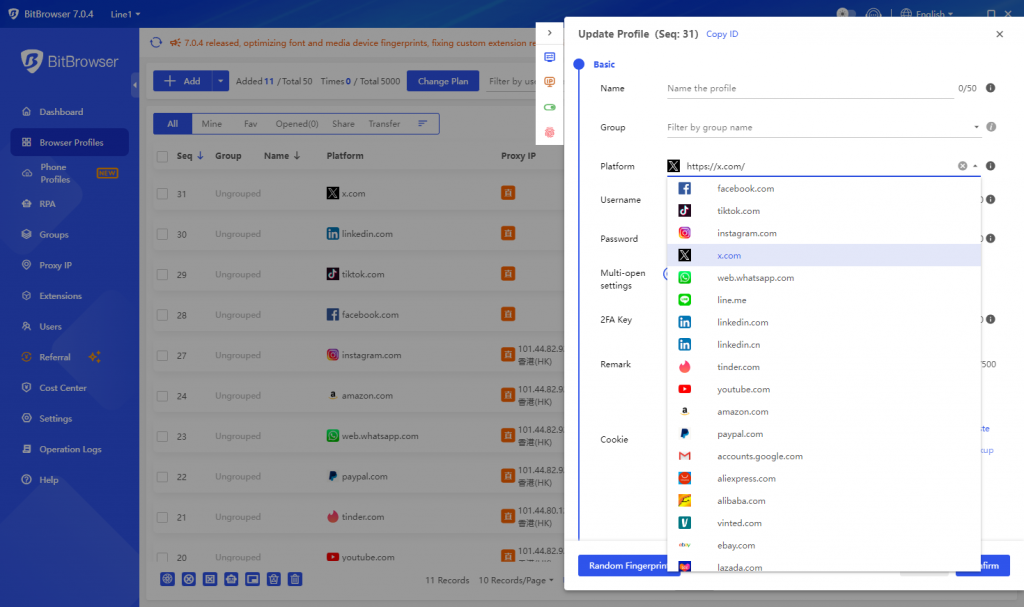
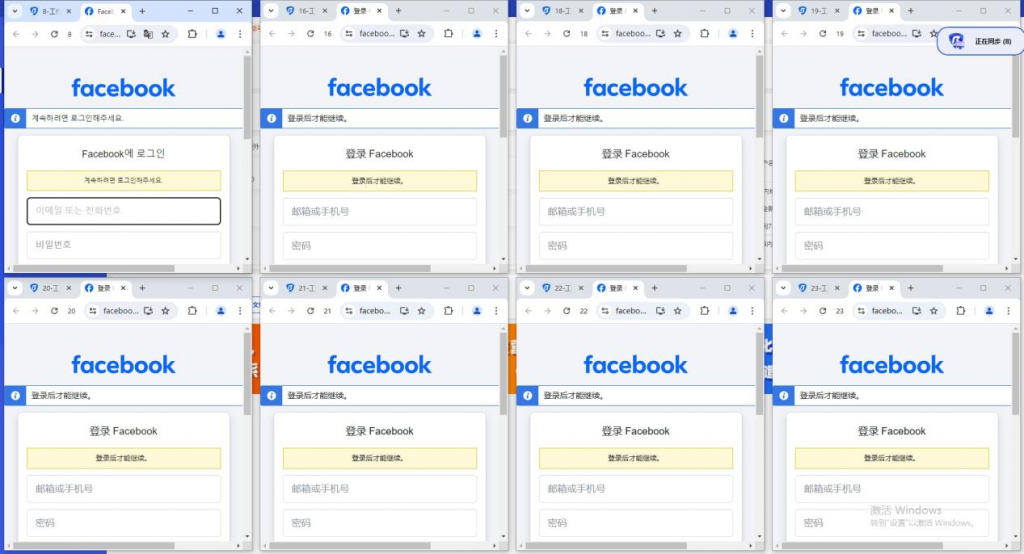
BitBrowser can log in to multiple accounts to prevent association. When you open BitBrowser, you can open multiple accounts on the same platform in the browser window to reduce the risk of unrelated accounts.
In the cross-border e-commerce industry, you can open multiple store windows to log in to multiple store accounts.
For social media account maintenance, etc., do social media account matrix, maintenance, and other operations.
For a web3.0 virtual business, it has a good effect of preventing multiple logins from being associated, and can also protect local privacy, blockchain, etc.
For advertising placement/SEO optimization, etc., it protects local information very well. Supports changing addresses to protect local information, etc. Research work, etc.
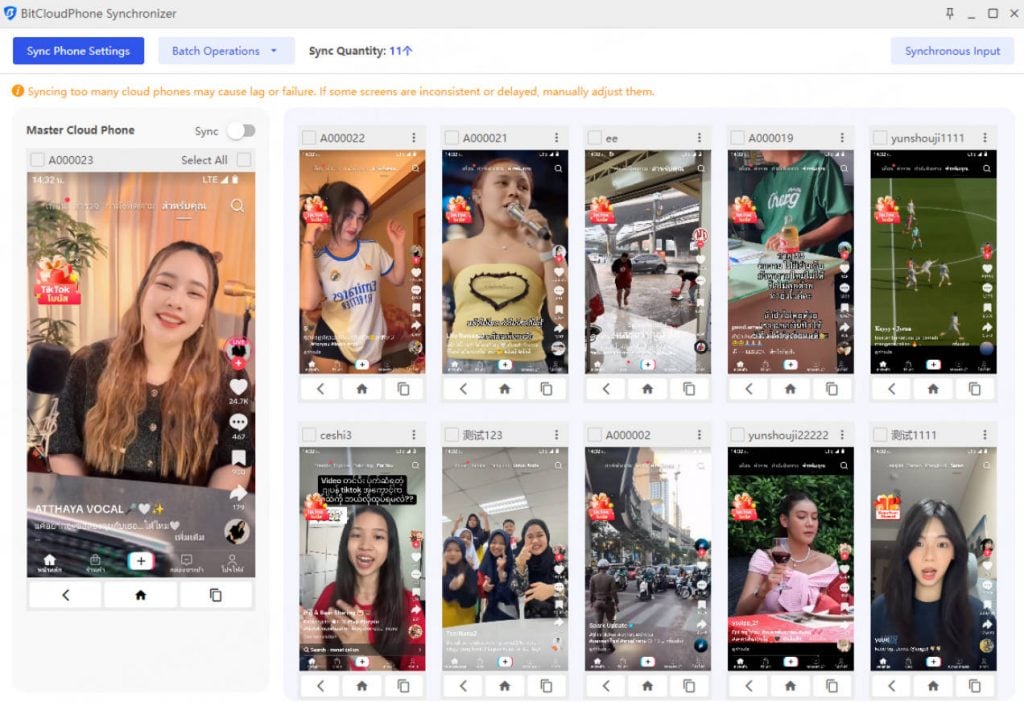
Matching a vast array of real phone parameters, one device allows you to easily manage multiple cloud phones!
Simple configuration: Simply configure a proxy to easily access major global apps. Supports one-click new devices for efficient mobile environment rotation!
Automatically match real phone parameters to complete overseas environment configuration efficiently! Configure a proxy IP for your environment with a single click, creating a fast, stable, and secure network environment. Native support for Google Play ensures seamless access to international apps and services.
Simulating a vast array of parameters, using real phone chipsets, provides a more realistic overseas phone environment. Automatically matches core settings such as language, time zone, location, carrier, and SIM information based on IP addresses. Supporting over 600 global carriers, automatically simulates SIM information and emulates various phone sensor parameters.
Flexibly assign permissions to team sub-accounts and dynamically adjust the number of mobile environments a sub-account can use for efficient account asset management.
Flexibly adjust the number of mobile environments to maximize operational costs. Sub-accounts operate independently, maximizing the use of idle resources and improving environment utilization. Easily acquire a large number of overseas customers and implement matrix marketing!
The method of using BitBrowser, Bit Fingerprint Browser supports 10 profiles for free (10 profiles are set up and opened), and it is necessary to carry static/dynamic proxy IP to the window to set it, and the local environment starts global mode. Only after the fingerprint is generated can it operate normally. If the proxy is not set, the local proxy is used. If 10 browser are not enough, you need to purchase a membership package.
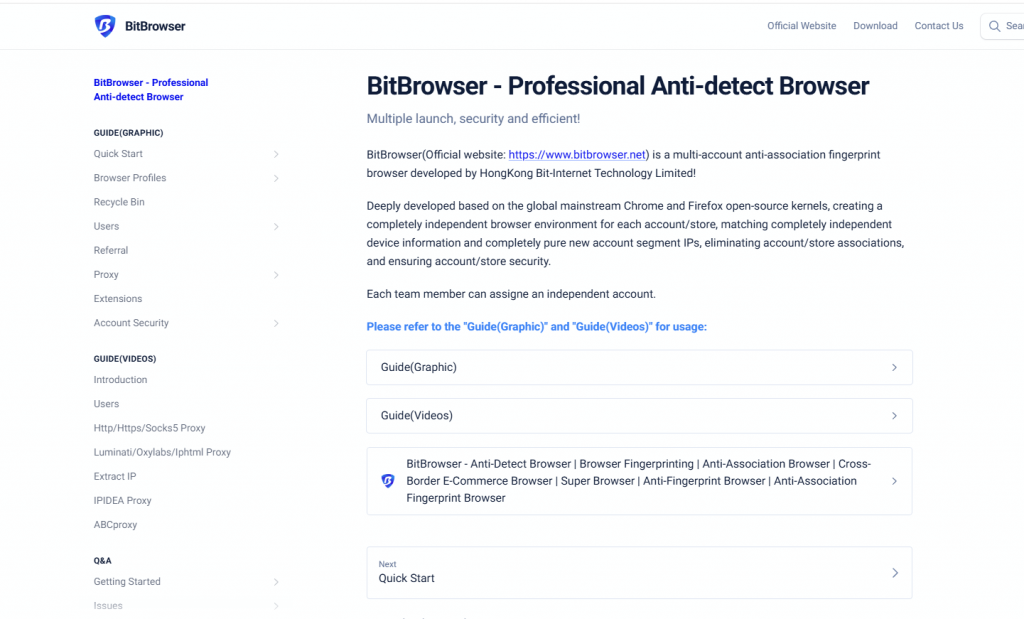
1. Download BitBrowser from the official site and install it. Register or log in to access the free 10 profiles.
2. Visit Thordata’s website to sign up and subscribe to a proxy plan. Select residential or datacenter based on needs—pricing starts at $3/IP for dedicated options.

3. In Thordata’s dashboard, generate proxy credentials via the Users or Endpoint Generator section. Choose authentication (username/password or whitelist), set region, and copy the format: hostname:port:username: password.
4. Open BitBrowser, go to Browser Profiles, and click Create New Profile. Fill in basic info like name and platform.
5. In the Proxy section of the profile setup, select Custom Proxy. Choose the HTTP type, then input Thordata details: host, port, username, and password.
6. Click Check Proxy to validate. If successful, save the profile. Repeat for multiple profiles, assigning unique Thordata IPs.
7. Launch the profile from the Profiles list. Test with IP check sites to confirm anonymity.
This setup ensures secure, isolated sessions. For dynamic proxies, enable rotation in Thordata settings before importing.
BitBrowser is a versatile anti-detection solution for various industries. Choose it for:
Cross-Border E-Commerce: Multi-store logins without risks.
Social Media Maintenance: Account matrices with zero correlations.
Web3 and Privacy: Blockchain protection and local info shielding.
Ad/SEO Optimization: Safe global access for campaigns.
For details, please see the official website link:
https://www.bitbrowser.net/?code=5df4f4ec
One-click synchronization: control multiple windows at the same time.
Proxy settings: support global proxy environment construction. Static/dynamic.
Google/Firefox kernel: supports deep kernel development. You can switch to using the kernel in the browser.
RPA automation: you can set up automation programs for the creation port, and automatically perform simple and brainless work.
API interface: Local API: The software comes with local services, which support users to operate the software window and run automation scripts through the Local API interface call.
Script market: provides the ecology of the script market and provides a publishing section for more users and developers.
Window batch import/export: batch creation and upload, download the template and fill it out and upload it directly.
Cookies batch import and export: support selecting multiple windows to batch download or export cookies.
Batch proxy setting: batch proxy/window fingerprint setting.
Batch remote operation: support sub-account setting. Employee allocation and collaborative operation.
BitBrowser can be used in various cross-border business scenarios. Using BitBrowser, you can log in to more accounts without any association with each other. Multi-account management is inseparable from the powerful anti-detection function of BitBrowser. It is permanently free for use in 10 profiles, safe and efficient multi-account management, employee allocation, and suitable for proxy IP use anywhere in the world.
We hope the information provided is helpful. However, if you have any further questions, feel free to contact us at support@thordata.com or via online chat.

Frequently asked questions
How does BitBrowser work with proxy IPs?
BitBrowser seamlessly integrates with proxy IPs worldwide, allowing users to assign static or dynamic proxies to each isolated profile for enhanced anonymity and to prevent account associations in cross-border scenarios.
What is the difference between BitBrowser and regular browsers?
Unlike ordinary browsers, BitBrowser prevents account associations by simulating independent environments with unique fingerprints and proxies, enabling secure multi-account logins, while regular browsers risk linking accounts through shared data.
Is BitBrowser free to use?
Yes, BitBrowser provides permanent free access for up to 10 profiles, ideal for basic multi-account management and testing proxy integrations, with premium options available for unlimited profiles and advanced features.
About the author
Jenny is a Content Specialist with a deep passion for digital technology and its impact on business growth. She has an eye for detail and a knack for creatively crafting insightful, results-focused content that educates and inspires. Her expertise lies in helping businesses and individuals navigate the ever-changing digital landscape.
The thordata Blog offers all its content in its original form and solely for informational intent. We do not offer any guarantees regarding the information found on the thordata Blog or any external sites that it may direct you to. It is essential that you seek legal counsel and thoroughly examine the specific terms of service of any website before engaging in any scraping endeavors, or obtain a scraping permit if required.
 Looking for
Top-Tier Residential Proxies?您在寻找顶级高质量的住宅代理吗?
Looking for
Top-Tier Residential Proxies?您在寻找顶级高质量的住宅代理吗?
How to Scraping Dynamic Websites with Python?
In this article, learn how to ...
Anna Stankevičiūtė
2026-03-03

Scraping Yahoo Finance using Python
Xyla Huxley Last updated on 2026-03-02 10 min read […]
Unknown
2026-03-03

TCP Deep Dive with Wireshark
Xyla Huxley Last updated on 2026-03-03 6 min read TCP i […]
Unknown
2026-03-03

Web Scraping with Python using Requests
Xyla Huxley Last updated on 2026-03-03 6 min read Web c […]
Unknown
2026-03-03

Crawl4AI: Open-Source AI Web Crawler with MCP Automation
Xyla Huxley Last updated on 2026-03-03 10 min read AI a […]
Unknown
2026-03-03

Using Wget with Python: A Practical Guide for Reliable, Scalable Web Data Retrieval
Xyla Huxley Last updated on 2026-03-03 10 min read […]
Unknown
2026-03-03

How to Make HTTP Requests in Node.js With Fetch API (2026)
A practical 2026 guide to usin ...
Kael Odin
2026-03-03

How to Scrape Job Postings in 2026: Complete Guide
A 2026 end-to-end guide to scr ...
Kale Odin
2026-03-03

BeautifulSoup Tutorial 2026: Parse HTML Data With Python
A 2026 step-by-step BeautifulS ...
Kael Odin
2026-03-03
