


Web Scraper API
Fetch real-time data from 100+ websites,No development or maintenance required.
SCRAPING SOLUTIONS
Get accurate and in real-time results sourced from Google, Bing, and more.
With 120+ prebuilt and custom scrapers ready for any use case.
No blocks, no CAPTCHAs—unlock websites seamlessly at scale.
Execute scripts in stealth browsers with full rendering and automation
PROXY INFRASTRUCTURE
Over 100 million real residential IPs from genuine users across 190+ countries.
Reliable mobile data extraction, powered by real 4G/5G mobile IPs.
For time-sensitive tasks, utilize residential IPs with unlimited bandwidth.
Fast and cost-efficient IPs optimized for large-scale scraping.
SCRAPING SOLUTIONS
PROXY INFRASTRUCTURE
DATA FEEDS
Full details on all features, parameters, and integrations, with code samples in every major language.
LEARNING HUB
ALL LOCATIONS Proxy Locations
TOOLS
RESELLER
Get up to 50%
Contact sales:partner@thordata.com
Products $/GB
Fetch real-time data from 100+ websites,No development or maintenance required.
Get real-time results from search engines. Only pay for successful responses.
Execute scripts in stealth browsers with full rendering and automation.
Bid farewell to CAPTCHAs and anti-scraping, scrape public sites effortlessly.
Dataset Marketplace Pre-collected data from 100+ domains.
Over 100 million real residential IPs from genuine users across 190+ countries.
Reliable mobile data extraction, powered by real 4G/5G mobile IPs.
For time-sensitive tasks, utilize residential IPs with unlimited bandwidth.
Fast and cost-efficient IPs optimized for large-scale scraping.

Data for AI $/GB
Pricing $0/GB
Docs $/GB
Full details on all features, parameters, and integrations, with code samples in every major language.
Resource $/GB
EN $/GB
产品 $/GB
AI数据 $/GB
定价 $0/GB
产品文档 $/GB
资源 $/GB
简体中文 $/GB

The internet is not as secure as we often think. In the 1990s, cell phones were used only for calls and texts. Turning off your device kept you completely private. Even activities like shopping or watching movies were anonymous back then.
Technology has evolved a lot, but maintaining privacy has become harder. Every time you use the internet, even for simple tasks, you’re being tracked.
Fraud detection systems today go beyond simple browser fingerprints. They now look at “network-layer markers,” which include the unique way your browser connects, often called the TLS fingerprint. If your proxy setup or software changes this negotiation, it creates a trace that can expose you, even if your browser fingerprint is perfect.
The solution is clear: use anti-detect software with a stack that ensures your network link appears as a normal user’s. Regular checks help verify that your setup remains undetectable.
As technology advances, fingerprint checks are combined with activity patterns, aided by AI models. Irregular behaviors, like mismatched IP addresses and time zones, or sudden changes in session activity, can trigger extra authentication. Successful strategies involve keeping profiles consistent, adding natural behaviors over time, and using trusted IP addresses.
Anti-detect browsers are tools designed to help you stay anonymous online. These browsers change your digital fingerprint to make you look like a regular user. Even advanced websites, such as Facebook or Amazon, see you as a real person when you use these tools. We recently explained how this technology works on our blog.
Using anti-detect browsers gives businesses and marketers the ability to manage multiple accounts securely. This technology is vital for operations like arbitrage, web scraping, or multi-account social media marketing. Here’s how anti-detect browsers can benefit various industries:
● Social media multi-accounting
● Advertising and affiliate marketing
● Dropshipping
● E-commerce
● Web scraping
● Online betting and gambling
● Crypto airdrops and lotteries
We’ve recently shared a guide on how businesses use anti-detect technology. Read more to understand the practical steps and get started.
Choosing the right anti-detect browser may seem daunting, but it’s simpler than you think. There are about 30 browsers to choose from, but not all are created equal. To narrow down your options, consider these key factors:
● Determine Your Needs: How many profiles do you need? If you’re in affiliate marketing, you may need hundreds, but for dropshipping or web scraping, fewer profiles may be enough. Some browsers offer free trials, which can help you test before committing.
● Check User Feedback: Read reviews on platforms like Trustpilot or Reddit. While negative reviews can be common, they’re not always an accurate reflection of the product’s quality. Be sure to check for any recurring issues in the feedback.
● Set Your Budget: Different browsers come with different pricing structures. Choose a plan that suits your monthly or annual budget. Be cautious of overly cheap options that may not provide reliable services.
● Consider Team Collaboration: If you need to work with a team, make sure the browser offers features like profile synchronization and multi-user support. Some browsers even have mobile apps or cloud-based versions for flexibility.
Here are some additional features to consider when choosing an anti-detect browser:
● API integration
● Automation for regular tasks (e.g., Selenium, Puppeteer)
● Proxy integration
● Cloud data storage for team collaboration
● User-friendly interface
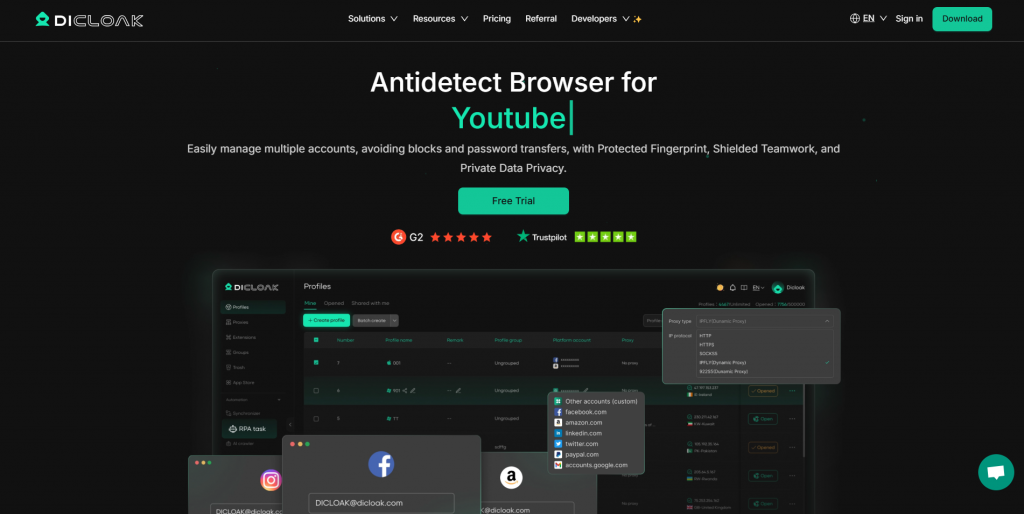
DICloak offers robust capabilities, similar to other leading multi-account browsers, but with a strong focus on security, automation, and cost efficiency. It includes all essential features for managing multiple accounts, along with advanced tools for automation, team collaboration, and profile management. It also supports seamless proxy integration and comes with ready-to-use RPA templates, making it ideal for marketers, social media managers, e-commerce sellers, affiliate marketers, and airdrop participants.
In addition to core multi-account and automation features, DICloak provides dedicated utility tools such as theTwitter Shadowban Checker, theFacebook Ads Checker, and aProxy Checker, helping users optimize account health, ad performance, and network reliability.
The interface is clean and intuitive, providing a smooth experience even for users new to anti-detect browsers. Although some users note that starting multiple profiles can take a little time, the overall performance is reliable for both individual and corporate use.
Pros:
● Full isolation of browser profiles with unique digital fingerprints
● Built-in AI automation, web crawling, and traffic bot tools
● Secure team collaboration with role management and detailed logs
● Strong privacy protections including password safety and packet capture detection
● Free plan available, with easy profile creation and proxy support
Cons:
● No available mobile version
Operating Systems: Windows, macOS
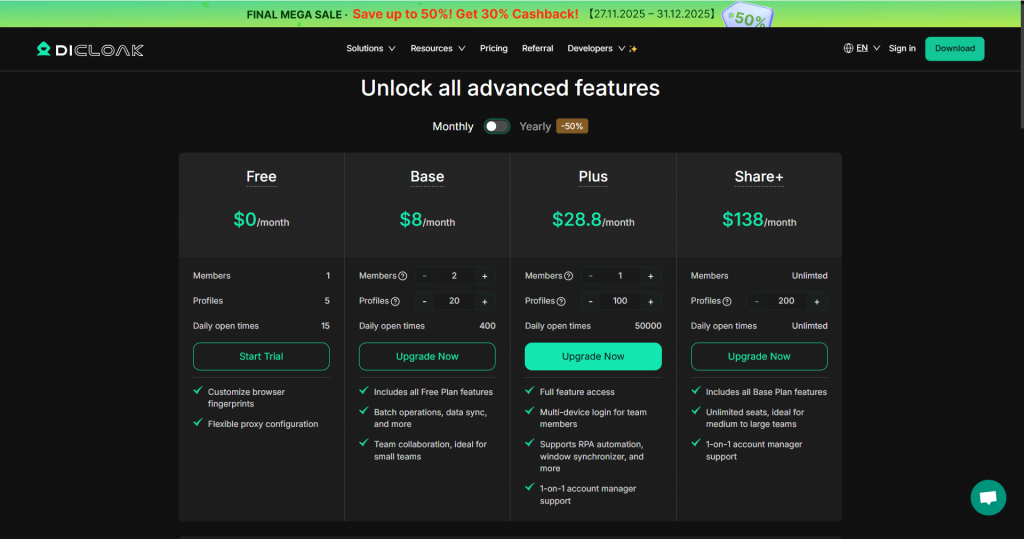
Cost: Free plan available; paid plans start at $8/month
Free Plan/Trial: 5 profiles included, full access to core features
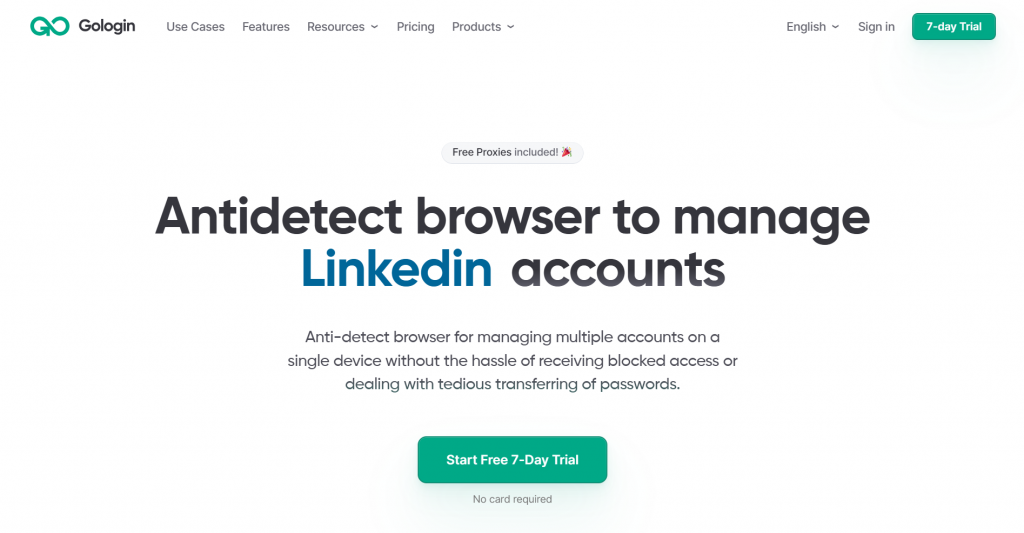
GoLogin provides capabilities similar to Multilogin but at a much more affordable price. It includes essential features for handling multiple accounts, team collaboration (through Folders), and easy import/export for profiles, proxies, and cookies. GoLogin also supports all your favorite Chrome extensions.
The user interface is simple and welcoming, making it easy to use for both beginners and professionals. While the browser startup may be slightly slow, it generally performs well for both personal and corporate use.
Pros:
● Solid overall performance
● Simple, accessible layout
● Reasonable cost
● Complimentary integrated proxies
● Web version and portable application
Cons:
● Support may be slow
● Only the Chromium-based Orbita browser
Operating Systems: Windows, macOS, Android, cloud web version
Cost: Starting at $24/month (100 profiles)
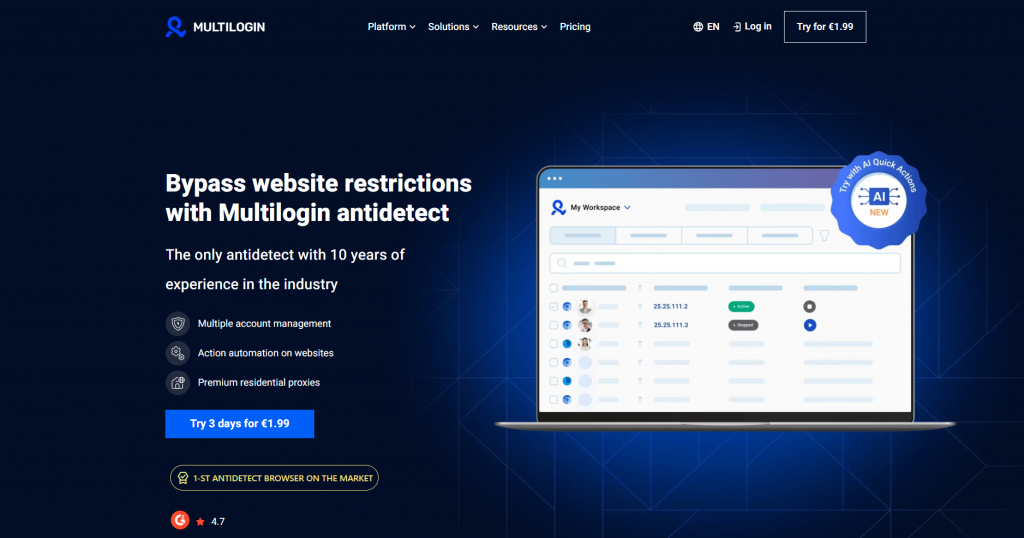
Multilogin is one of the most expensive solutions in the market but offers top-tier features, dependability, and customer support. It is ideal for large teams or agencies that need to manage numerous accounts. Multilogin allows full customization of browser identifiers and offers fast profile creation. The support service is excellent, with high ratings from users.
However, it may not be the best fit for beginners or solo users due to its higher cost and the lack of a free trial.
Pros:
● Premier overall standard
● Excellent dependability, based on user testimonials
● Strong team collaboration features
● Fully customizable browser identifiers
Cons:
● One of the priciest options
● No free tier or evaluation period
Operating Systems: Windows, macOS, Linux
Cost: Starting at €99/month (100 profiles)
Free Plan/Trial: None

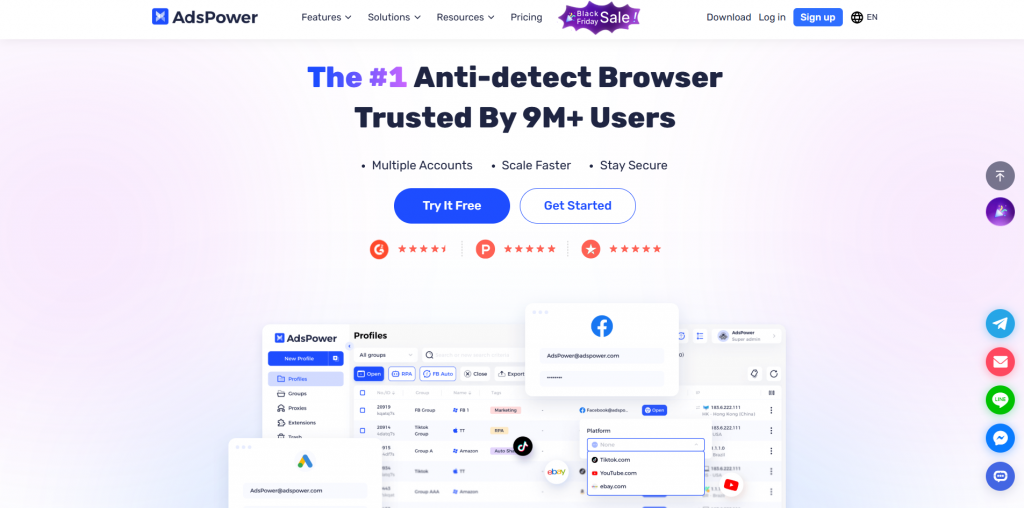
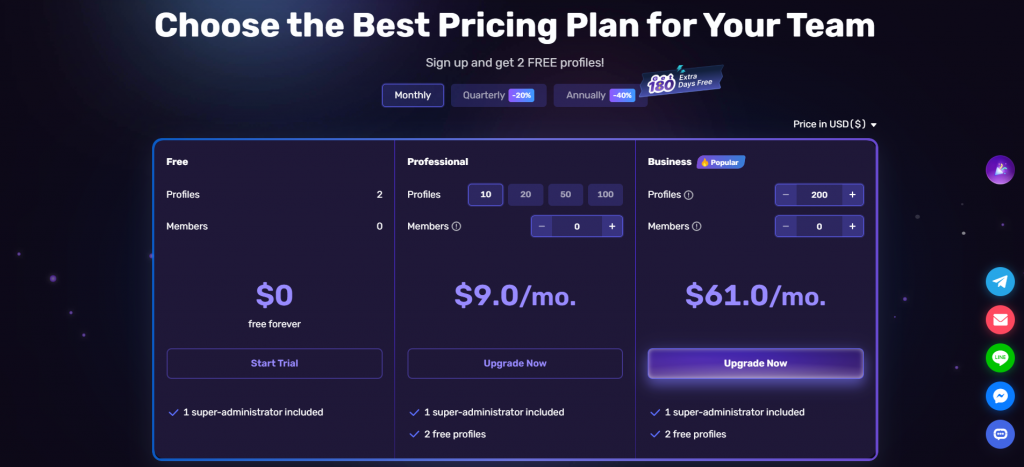
AdsPower is excellent for managing social media accounts and e-commerce operations. It includes no-code automation tools for accelerating tasks and warming up social accounts. The browser offers great collaboration features with tiered access levels and data synchronization.
However, it has a somewhat complex interface that may pose a challenge for beginners, and there have been recent security issues involving user data.
Pros:
● Great for social media platforms
● Robust no-code automation
● Budget-friendly entry plan
● Excellent collaboration tools
Cons:
● Recently involved in a significant data security breach
● Complex and cluttered interface
● Lacks custom browser profile creation
Operating Systems: Windows, macOS
Cost: Starting at $9/month
Free Plan/Trial: Free plan with 2 profiles, free evaluation of paid subscriptions
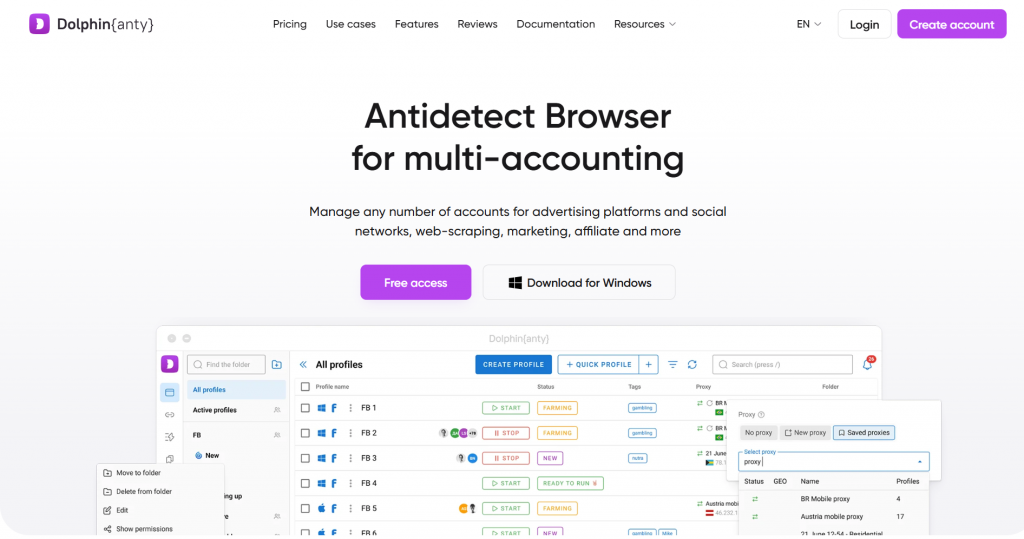
Dolphin Anty specializes in social media management, especially for Facebook and other social platforms. It includes useful features like stopwatches for account management, which help with tasks like account farming. The interface is quick and simple, though some users find it cluttered.
The browser is particularly tailored to the Russian market, which could limit its appeal for non-Russian speakers.
Pros:
● Easy-to-use multi-accounting tool
● Simple user interface
● Great for social media management
● A decent free tier
Cons:
● Predominantly Russian-focused user base
● Complex interface
● Poor fingerprint consistency
Operating Systems: Windows, macOS
Cost: Starting at $71/month
Free Plan/Trial: Free plan with 10 profiles, 4-day trial of paid plans
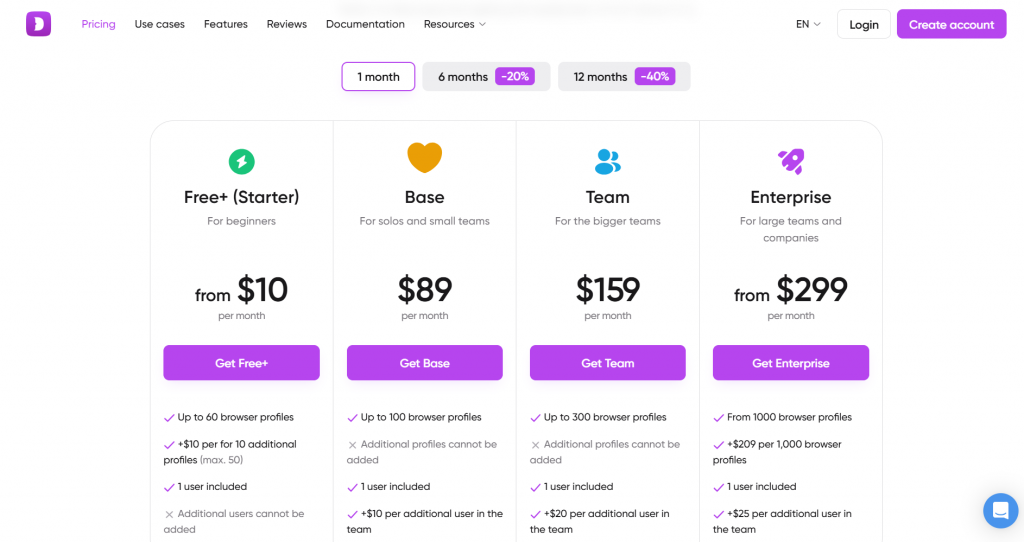
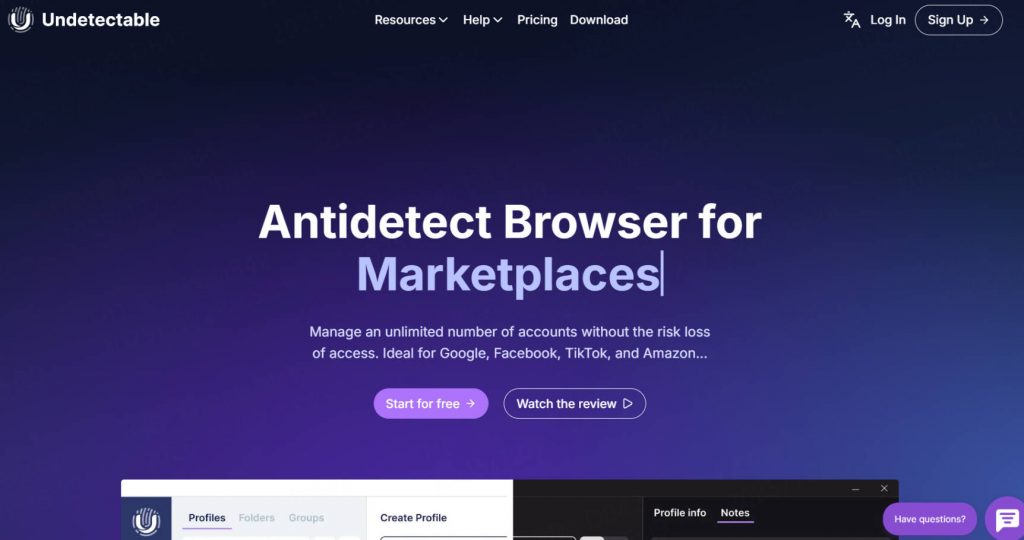
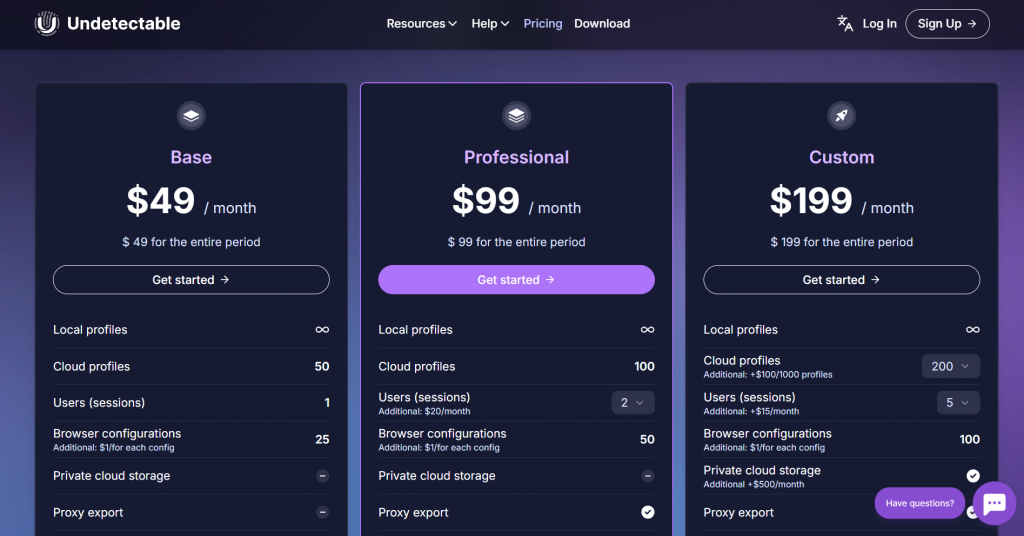
Undetectable is another useful browser for multi-accounting with a focus on mass profile generation and automated profile warming. It is highly beneficial for managing large volumes of profiles and is priced reasonably for marketing teams. However, its long-term consistency and performance are unverified.
Pros:
● Excellent team collaboration options with flexible pricing
● Automated profile warming
Cons:
● Unverified consistency with a large number of automatically generated profiles
● Doubtful long-term performance
Operating Systems: Windows, macOS
Cost: Starting at $49/month (up to 100 profiles)
Free Plan/Trial: Free plan with 5 personas
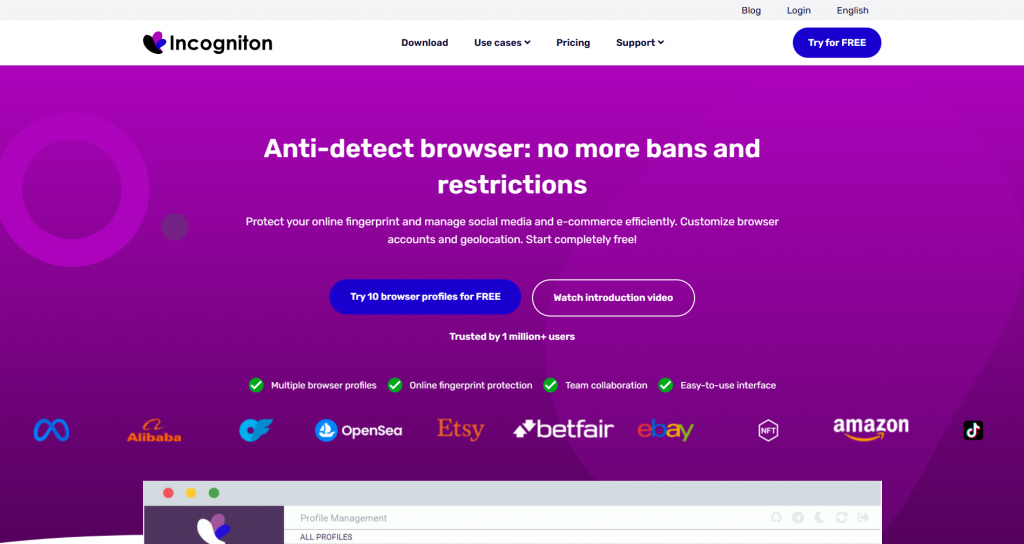
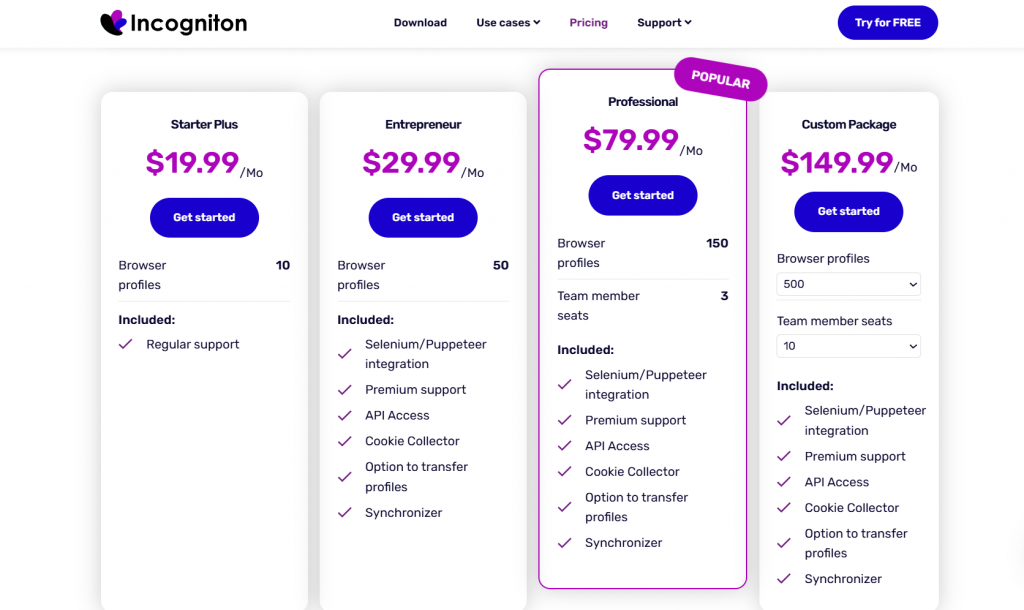
Incogniton is an affordable browser with a straightforward design, great for small teams or solo users. It excels at simulating human input and automating repetitive tasks. However, it lacks the consistency of larger competitors and has some hidden costs, like VAT.
Pros:
● Simple, visual design
● Ample free tier for hobbyists
● Affordable for small teams
● Human input field mimicry
Cons:
● Browser identifier consistency may not be as robust
● Hidden VAT costs on the rates page
Operating Systems: Windows, macOS
Cost: Starting at $29.99/month + VAT
Free Plan/Trial: Free plan with 10 identities
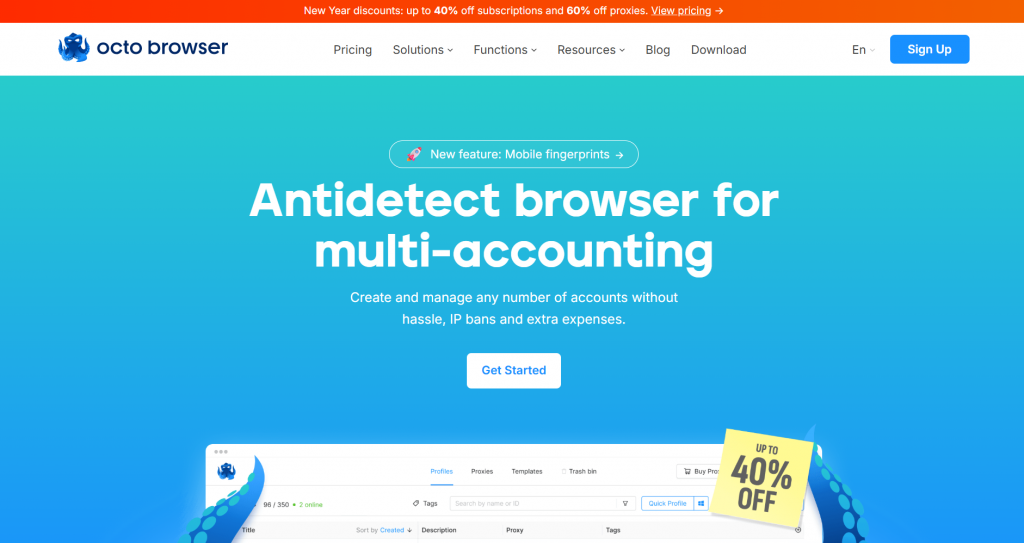
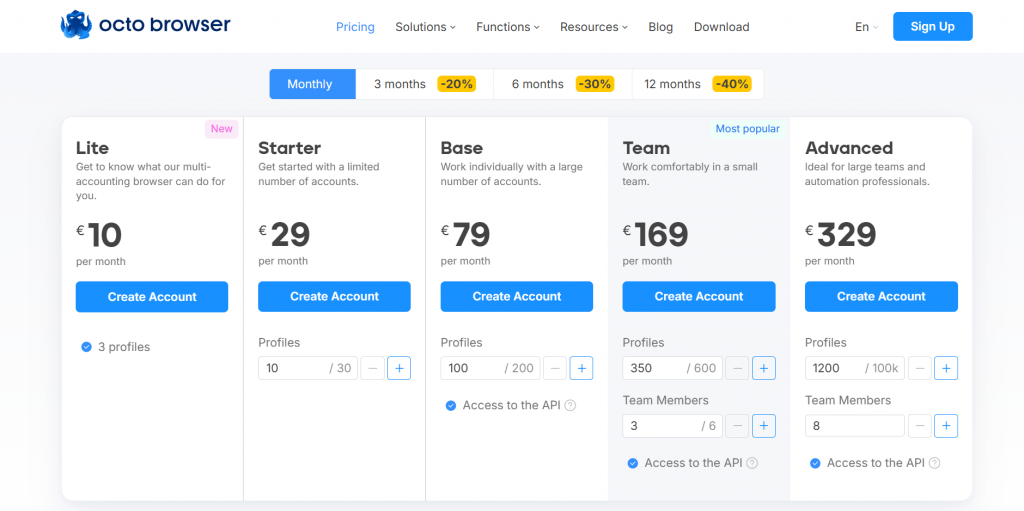
Octo Browser features competitive performance and modern capabilities, including collaboration, profile blueprints, and proxy handling. It offers a sleek design but lacks a free tier, which might deter users who want to test it out before committing.
Pros:
● Solid overall performance
● New, subtle design
● Good browser signature consistency
Cons:
● Russian-speaking community
● No free tier or trial period
● High pricing for enterprises
Operating Systems: Windows, macOS
Cost: Starting at €29/month
Free Plan/Trial: None

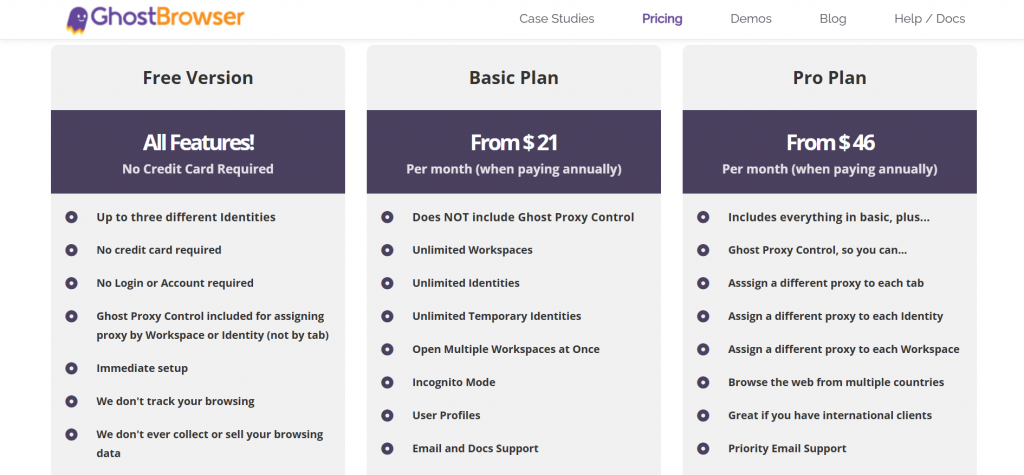
Ghost Browser is perfect for users who need straightforward multi-session management. It doesn’t require opening new browser windows for each profile, which makes it easier to use than other anti-detect browsers. However, it’s best suited for smaller-scale operations, not larger enterprises.
Pros:
● Easy multi-session management
● Stable and intuitive design
● Great for small enterprises and individual users
Cons:
● No collaborative functions
● Unsuitable for larger enterprises
● Unverified browser signature consistency
Operating Systems: Windows, macOS
Cost: Starting at $25/month
Free Plan/Trial: Free plan with 4 personas
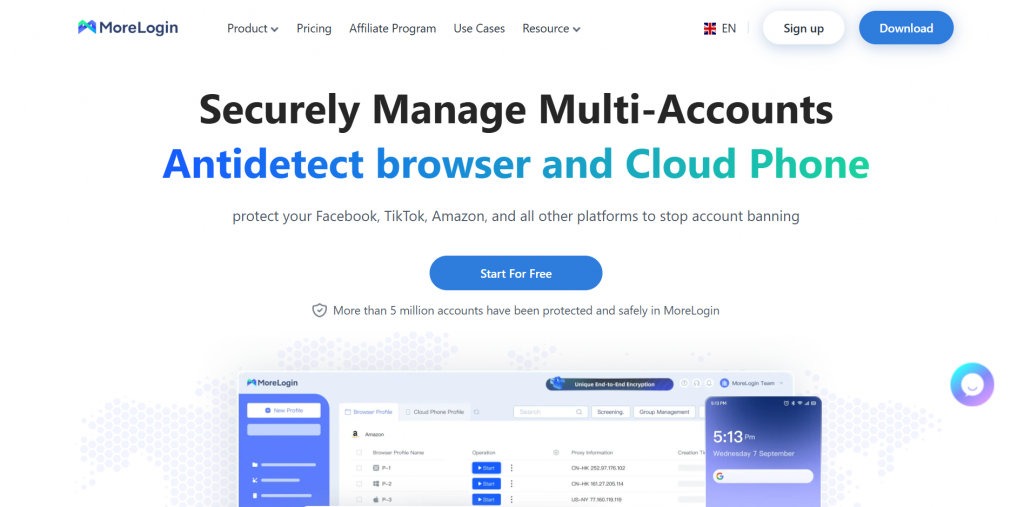
MoreLogin offers affordable pricing and cloud phone support, ideal for those who need to manage multiple accounts on platforms like TikTok. While its interface is cluttered and the performance may be slower than competitors’, it remains a cost-effective option for small teams.
Pros:
● Affordable
● Free plan with 2 profiles
Integrated cloud phone support
Cons:
● Cluttered user interface
● Performance issues compared to competitors
● Unverified user reviews
Operating Systems: Windows, macOS
Cost: Starting at $9/month
Free Plan/Trial: Free plan with 2 profiles

DICloak is known for its powerful capabilities in multi-account management, offering unmatched security and privacy for users who need to maintain multiple online identities. However, to ensure complete anonymity and flawless operations, DICloak requires reliable and high-performing proxies. This is where Thordata Proxies come in. With their extensive network of residential IPs and advanced features, Thordata Proxies integrate seamlessly with DICloak, enhancing its performance while ensuring that users can operate undetected across various accounts and regions. Below, we highlight why Thordata Proxies are the ideal match for DICloak’s needs.
● 100M+ Residential IPs: Provides a vast global proxy pool that works seamlessly with DICloak anti-detect browser, helping each isolated browser profile appear as a real user and stay undetected.
● Global Coverage: Supports country, region, and city-level IP targeting, which enhances DICloak’s ability to run location‑specific multi‑account operations without triggering fraud defenses.
● Fast Proxy Rotation: Enables rapid IP switching that helps DICloak maintain separated browsing environments and avoid detection during frequent logins or bulk account tasks.
● Protocol Support: Full compatibility with HTTP/HTTPS protocols, making it easy to integrate with DICloak’s proxy settings and maintain reliable connections across all browser profiles.
● Easy Integration & Documentation: Thordata provides clear guides and integration tutorials (including support for tools like Selenium, Playwright, Puppeteer) which help users connect proxies to DICloak profiles quickly and correctly.
Anti-detect browsers are essential for anyone who needs privacy and the ability to manage multiple accounts online. Whether you’re a marketer, affiliate, dropshipper, or involved in other online ventures, these browsers help you remain anonymous and ensure smooth business operations. Pairing DICloak with Thordata Proxies, which offer secure and reliable IP addresses, enhances your ability to manage multiple accounts securely and undetected. Choose the right combination for optimal results.
We hope the information provided is helpful. However, if you have any further questions, feel free to contact us at support@thordata.com or via online chat.

Frequently asked questions
How Do Anti-Detect Browsers Function?
Anti-detect browsers work by modifying browser fingerprints, masking your true identity, and making it extremely difficult for websites to track you. These browsers are designed to provide complete anonymity, a challenging task given the sophisticated user-tracking techniques used by major companies like Meta. By altering various elements like your device’s fingerprint, IP address, and session data, anti-detect browsers ensure that you remain undetectable online.
What is the Premier Anti-Detect Browser?
There is no single “best” anti-detect browser—it largely depends on personal preferences, specific needs, budget, and use cases. For example, some browsers may be tailored for affiliate marketing or social media automation, while others are better for e-commerce or ad verification. Choose carefully based on your requirements to ensure the best fit for your workflow.
How Can I Securely Acquire an Anti-Detect Browser?
To ensure security when acquiring an anti-detect browser, always download it from the official website, such as DICloak. This minimizes the risk of downloading malware and ensures that you get the latest version compatible with your operating system. Be sure to check the system requirements and availability of free tiers before installing any browser.
About the author
Jenny is a Content Specialist with a deep passion for digital technology and its impact on business growth. She has an eye for detail and a knack for creatively crafting insightful, results-focused content that educates and inspires. Her expertise lies in helping businesses and individuals navigate the ever-changing digital landscape.
The thordata Blog offers all its content in its original form and solely for informational intent. We do not offer any guarantees regarding the information found on the thordata Blog or any external sites that it may direct you to. It is essential that you seek legal counsel and thoroughly examine the specific terms of service of any website before engaging in any scraping endeavors, or obtain a scraping permit if required.
 Looking for
Top-Tier Residential Proxies?您在寻找顶级高质量的住宅代理吗?
Looking for
Top-Tier Residential Proxies?您在寻找顶级高质量的住宅代理吗?
How to Scraping Dynamic Websites with Python?
In this article, learn how to ...
Anna Stankevičiūtė
2026-03-03

Scraping Yahoo Finance using Python
Xyla Huxley Last updated on 2026-03-02 10 min read […]
Unknown
2026-03-03

TCP Deep Dive with Wireshark
Xyla Huxley Last updated on 2026-03-03 6 min read TCP i […]
Unknown
2026-03-03

Web Scraping with Python using Requests
Xyla Huxley Last updated on 2026-03-03 6 min read Web c […]
Unknown
2026-03-03

Crawl4AI: Open-Source AI Web Crawler with MCP Automation
Xyla Huxley Last updated on 2026-03-03 10 min read AI a […]
Unknown
2026-03-03

Using Wget with Python: A Practical Guide for Reliable, Scalable Web Data Retrieval
Xyla Huxley Last updated on 2026-03-03 10 min read […]
Unknown
2026-03-03

How to Make HTTP Requests in Node.js With Fetch API (2026)
A practical 2026 guide to usin ...
Kael Odin
2026-03-03

How to Scrape Job Postings in 2026: Complete Guide
A 2026 end-to-end guide to scr ...
Kale Odin
2026-03-03

BeautifulSoup Tutorial 2026: Parse HTML Data With Python
A 2026 step-by-step BeautifulS ...
Kael Odin
2026-03-03
