


Web Scraper API
Fetch real-time data from 100+ websites,No development or maintenance required.
SCRAPING SOLUTIONS
Get accurate and in real-time results sourced from Google, Bing, and more.
With 120+ prebuilt and custom scrapers ready for any use case.
No blocks, no CAPTCHAs—unlock websites seamlessly at scale.
Execute scripts in stealth browsers with full rendering and automation
PROXY INFRASTRUCTURE
Over 100 million real residential IPs from genuine users across 190+ countries.
Reliable mobile data extraction, powered by real 4G/5G mobile IPs.
For time-sensitive tasks, utilize residential IPs with unlimited bandwidth.
Fast and cost-efficient IPs optimized for large-scale scraping.
SCRAPING SOLUTIONS
PROXY INFRASTRUCTURE
DATA FEEDS
Full details on all features, parameters, and integrations, with code samples in every major language.
LEARNING HUB
ALL LOCATIONS Proxy Locations
TOOLS
RESELLER
Get up to 50%
Contact sales:partner@thordata.com
Products $/GB
Fetch real-time data from 100+ websites,No development or maintenance required.
Get real-time results from search engines. Only pay for successful responses.
Execute scripts in stealth browsers with full rendering and automation.
Bid farewell to CAPTCHAs and anti-scraping, scrape public sites effortlessly.
Dataset Marketplace Pre-collected data from 100+ domains.
Over 100 million real residential IPs from genuine users across 190+ countries.
Reliable mobile data extraction, powered by real 4G/5G mobile IPs.
For time-sensitive tasks, utilize residential IPs with unlimited bandwidth.
Fast and cost-efficient IPs optimized for large-scale scraping.

Data for AI $/GB
Pricing $0/GB
Docs $/GB
Full details on all features, parameters, and integrations, with code samples in every major language.
Resource $/GB
EN $/GB
产品 $/GB
AI数据 $/GB
定价 $0/GB
产品文档 $/GB
资源 $/GB
简体中文 $/GB

Not sure which anti-detect browser fits your workflow? It all depends on what you need, whether it is fingerprint control, team features, speed, or pricing. We’ve reviewed the most popular tools and highlighted what sets each apart. This list of anti-detect browsers makes it easy to find your match. Choose the best anti-detect browser for your tasks — we’ve done the hard part.
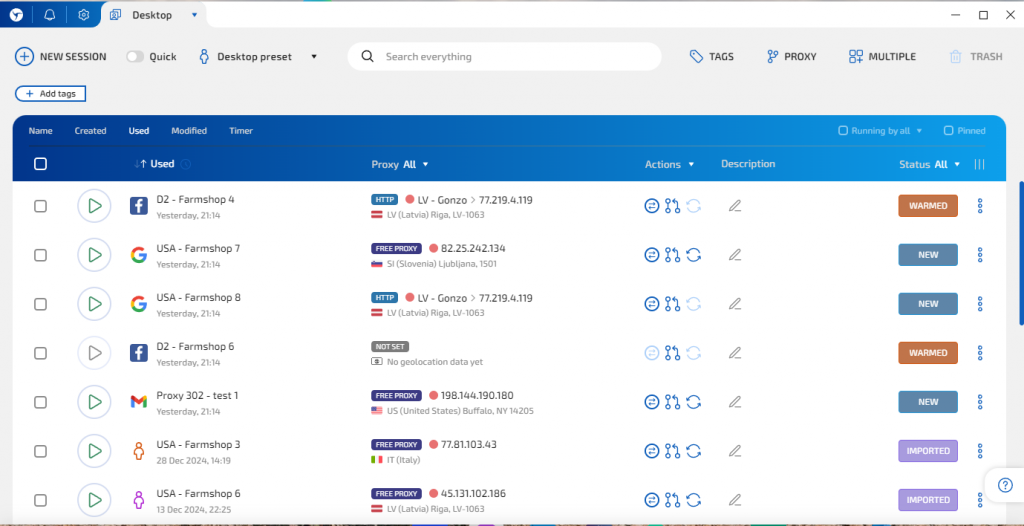
If you look at the anti-detect browser top through the eyes of experienced users, Linken Sphere consistently ranks among the favorites. The reason lies in its advanced manual configuration for key fingerprinting elements. Users can customize combinations of real and synthetic values for Canvas, WebGL, Fonts, AudioContext, and Timezone. Instead of fixed presets, the browser allows hybrid profile assembly, though some fields remain fixed to ensure consistency. The interface is complex and may require learning time for new users.
Follows a local-first model. Session data and profiles are stored on the user’s machine by default, ensuring full isolation without forced cloud sync. However, optional encrypted cloud storage and basic workspace tools are available for team collaboration.
Includes a local scripting API, a built-in no-code RPA module, and supports automation via Puppeteer and Selenium through Chrome DevTools Protocol. Users can launch sessions via API, connect to them using a designated debug port, and run automation scripts using popular tools.
All profile data is stored locally or via optional encrypted cloud storage. Nothing is transmitted externally without user intent. This setup appeals to those in cybersecurity, fraud prevention, or vulnerability research. In its six-year history, there have been no publicly known breaches.
Good for:
Privacy engineers and security pros who need absolute control over fingerprint structure and data flow. Its local-first model makes it ideal for isolated setups or research environments with strict data policies. If you treat profile crafting like code, this tool gives you surgical precision.
Multilogin is a widely used anti-detect browser that simulates residential-style browser environments using its Mimic and Stealthfox engines. It’s effective for producing stable and consistent identity profiles but leans more toward simulation than configurability. Users can’t deeply edit most parameters, but the output is uniform and relatively safe for mass deployment. These profiles are stable under session reuse, which is critical for platforms with re-verification flows like Meta or Google Ads.
Designed for teams, it supports shared workspaces, user roles, and profile access control. These features make it useful for agencies managing distributed workflows or outsourcing identity-based operations.
Multilogin provides a public API and supports automation through Puppeteer, Selenium, and Playwright. Developers can launch and control profiles programmatically or integrate profile management into custom automation workflows. While headless automation is possible, script stability and behavior depend on external configurations and aren’t specifically guaranteed by the platform.
All profiles are encrypted and stored in the cloud. The infrastructure is hosted in Europe and claims GDPR compliance. For users needing remote recovery and syncing, it’s a solid fit. However, offline operations are not supported.
Good for:
Teams handling large ad accounts across multiple platforms. Its session stability and workspace tools are especially helpful for agencies handling Google Ads or Meta environments. Think of it as infrastructure for scaled identity ops.
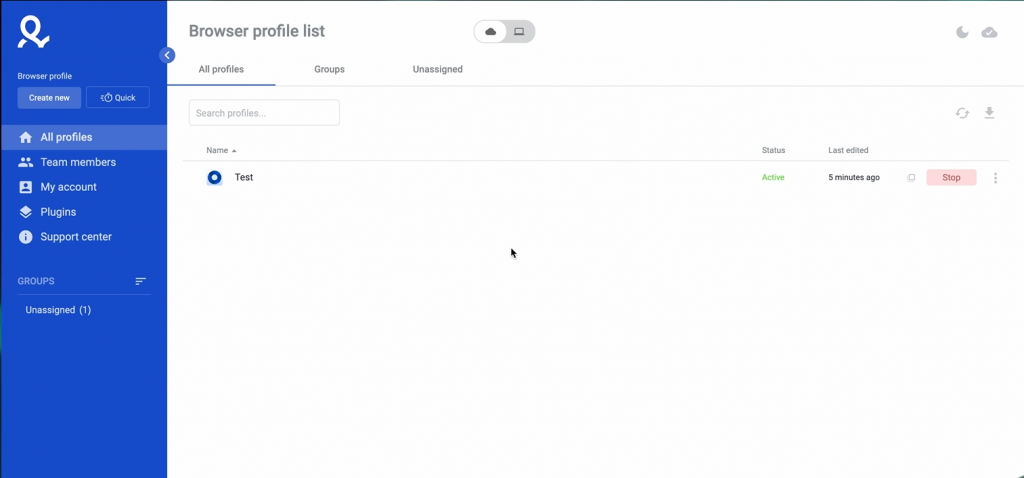
GoLogin is an anti-detect browser that automatically generates browser fingerprints with basic parameter diversity. It covers the essentials like Canvas, WebGL, and timezone, but doesn’t allow for in-depth customization. For general multi-account usage, this level of spoofing is sufficient. For more adversarial detection models, the lack of precision could be limiting.
Supports team collaboration via shared workspaces and role-based access. Admins can assign specific permissions (like view-only or edit) to each team member and organize profiles by projects or use cases. This enables more controlled and secure collaboration compared to basic profile sharing.
Offers a public API and supports integration with Puppeteer, Selenium, and Playwright. Users can automate browser launches, profile management, and session control. Scripting logic, including parallel execution and conditional flows, is handled by the external automation framework.
All data is stored in the cloud and encrypted. There are no known incidents of breach. However, full local isolation isn’t available, which could be a drawback for privacy-sensitive operations.
Good for:
Anyone who wants to run multiple browser profiles without getting lost in complexity. If your priority is smooth cloud syncing over deep fingerprint tuning, it’s a strong everyday companion. Best suited for lean growth teams or solo operators.
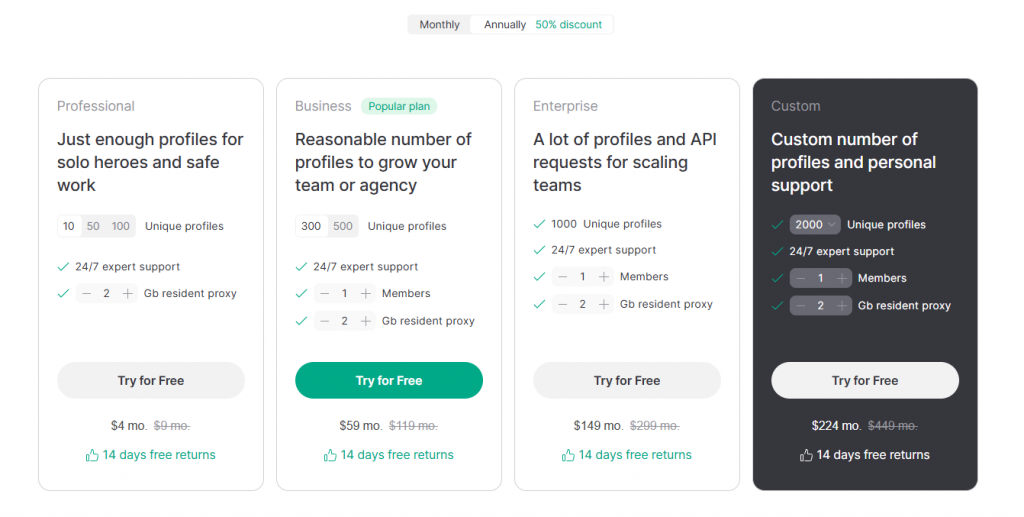
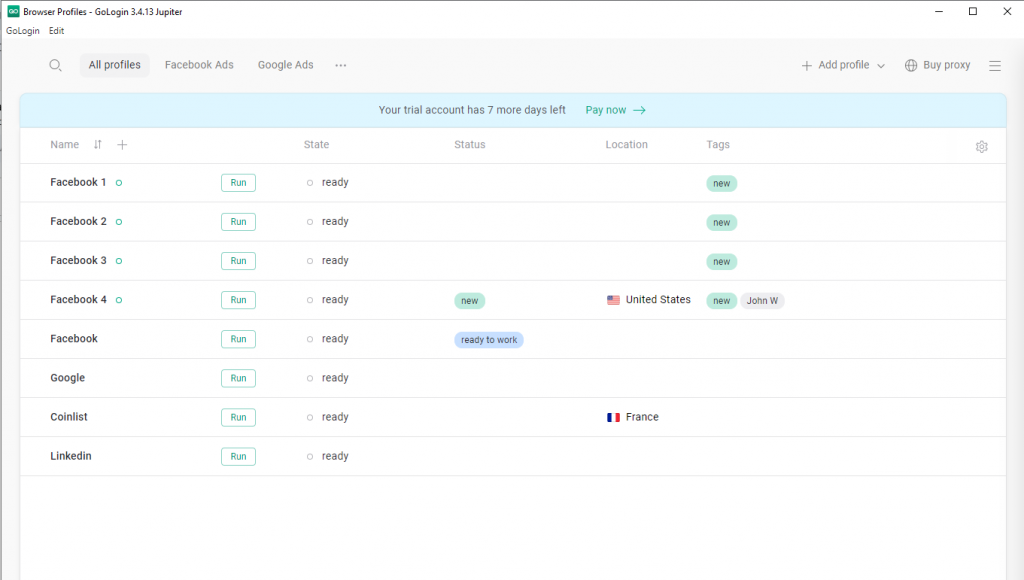
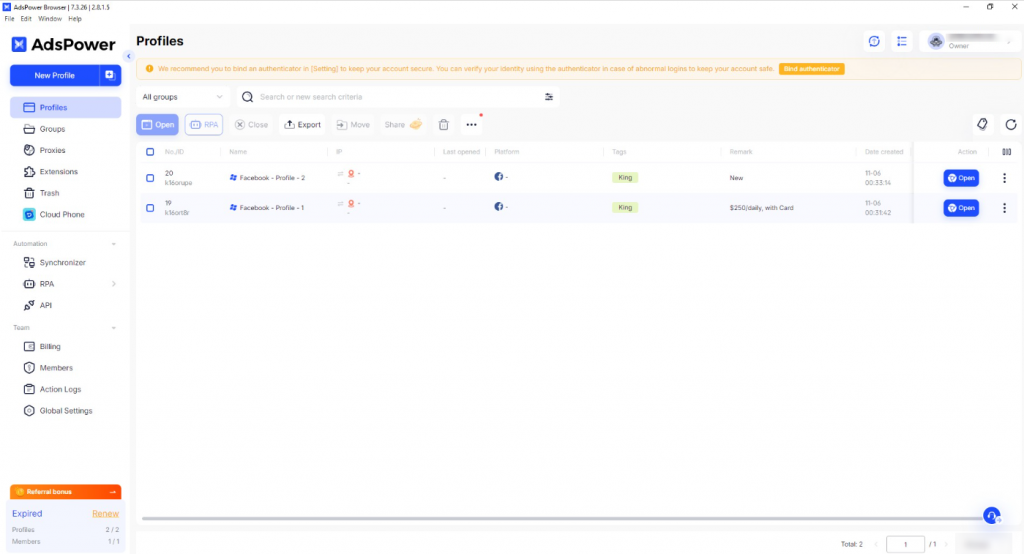
AdsPower offers a broad set of pre-configured fingerprints that span Canvas, WebGL, audio, timezone, and fonts. These can be adjusted slightly, but the focus here is on rapid deployment, not technical precision. As an anti-detect browser, it works well in volume but lacks depth for those trying to avoid targeted tracking models.
The platform supports team roles, shared access to profiles, and sync options. It’s designed for structured operations, such as affiliate teams or media-buying agencies, that require segmentation and access control.
AdsPower includes a built-in no-code RPA module with support for conditions, variables, timeouts, and looped actions. This allows users to build complex automation flows visually, without writing code. The automation engine is suitable for managing repetitive browser tasks across multiple profiles.
Profile data can be stored locally or in the cloud. There are no reported breaches, but users managing sensitive operations should consider additional network-layer precautions.
Good for:
Media buyers and affiliate marketers who value simplicity and speed. It’s designed for bulk use, where time-to-launch matters more than fingerprint finesse. Visual automation tools make routine profile work easier for non-coders.
Fingerprint protection
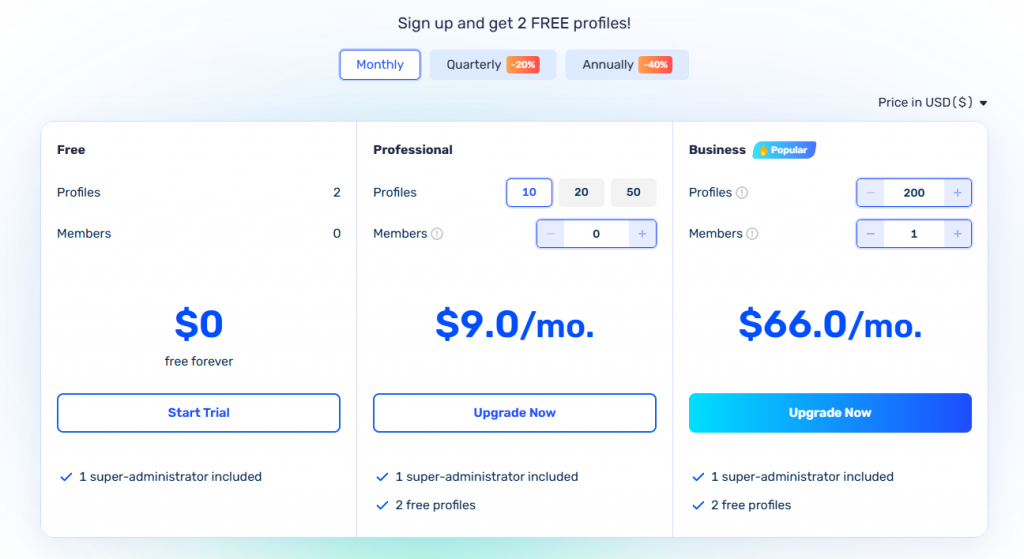
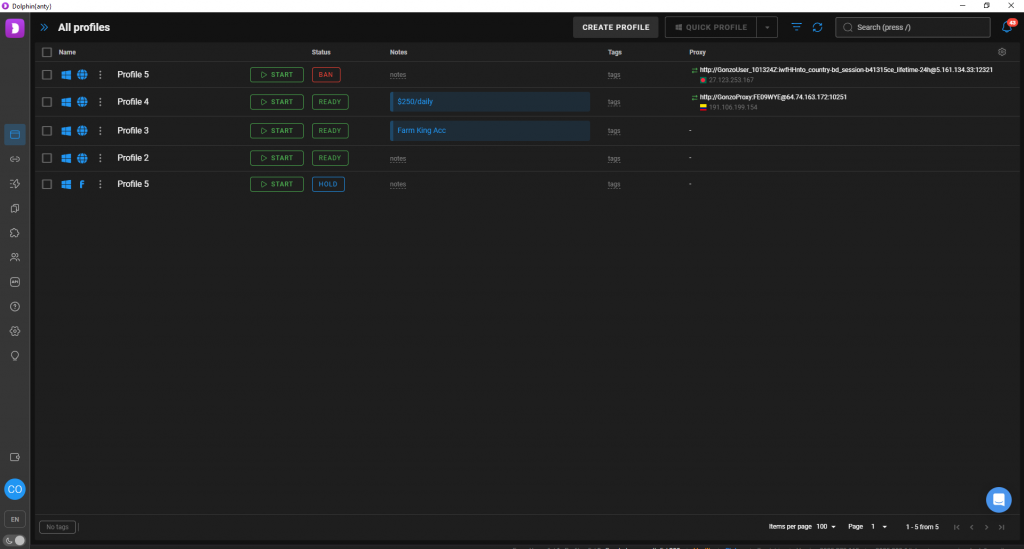
Dolphin Anty generates stable fingerprint profiles by default, ensuring consistency with proxy data. For advanced users, manual editing of fingerprint parameters such as Canvas, AudioContext, and WebRTC is possible, though the interface encourages prebuilt templates to reduce misconfiguration risks.
Team features
Profiles can be shared via cloud sync. Access roles are available, and there’s Telegram integration for profile event notifications. These features are practical for small teams who operate using fast communication loops, especially when working in an anti-detect browser environment where speed and coordination matter.
Automation tools
Supports scripting via API and JSON logic. There’s no visual editor, so the browser is best for teams with existing development resources.
Security & data storage
By default, profiles are stored in the cloud. Local export is optional. The setup has not experienced known breaches, but may not meet standards for use cases requiring full offline control.
Good for:
Small, fast-moving teams with a technical focus. It’s especially handy if your workflows live in Telegram or your devs are comfortable with JSON. Ideal for those scaling outreach or scraping quietly, not configuring endlessly.
Fingerprint protection
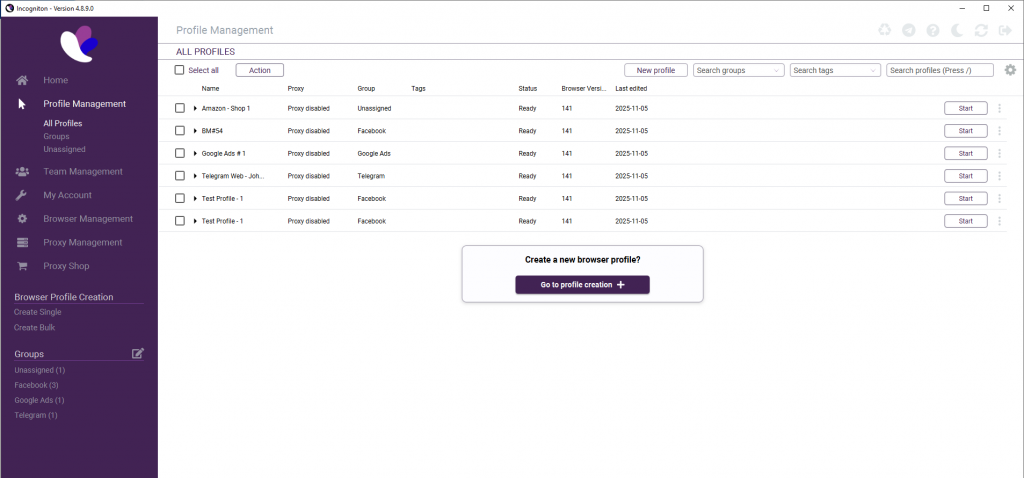
Incogniton uses preconfigured fingerprint profiles by default, but also allows manual adjustment of specific parameters like timezone, WebRTC, and geolocation. While customization depth is more limited than in advanced tools, the browser offers enough flexibility for most routine scenarios.
Team features
Basic collaboration tools are included, such as shared profile access and simple role management.
Automation tools
Incogniton supports automation through CSV-based profile creation, as well as Puppeteer and Selenium integrations. The public API enables users to run scripts across multiple profiles, making it suitable for typical automation tasks, even at a moderate scale, a strong advantage for teams relying on an anti-browser setup.
Security & data storage
All data is encrypted and hosted in the cloud. There are no offline-only options, which may limit its suitability for sensitive infrastructure work. No offline mode is available. Profiles are tied to the cloud, and there’s no option to export or self-host storage.
Good for:
Marketers and ops leads who want basic automation without learning curves. If you prefer CSV imports and cloud-based teamwork to scripting, you’ll feel right at home. A solid pick for controlled profile sharing with minimal setup.
Fingerprint protection
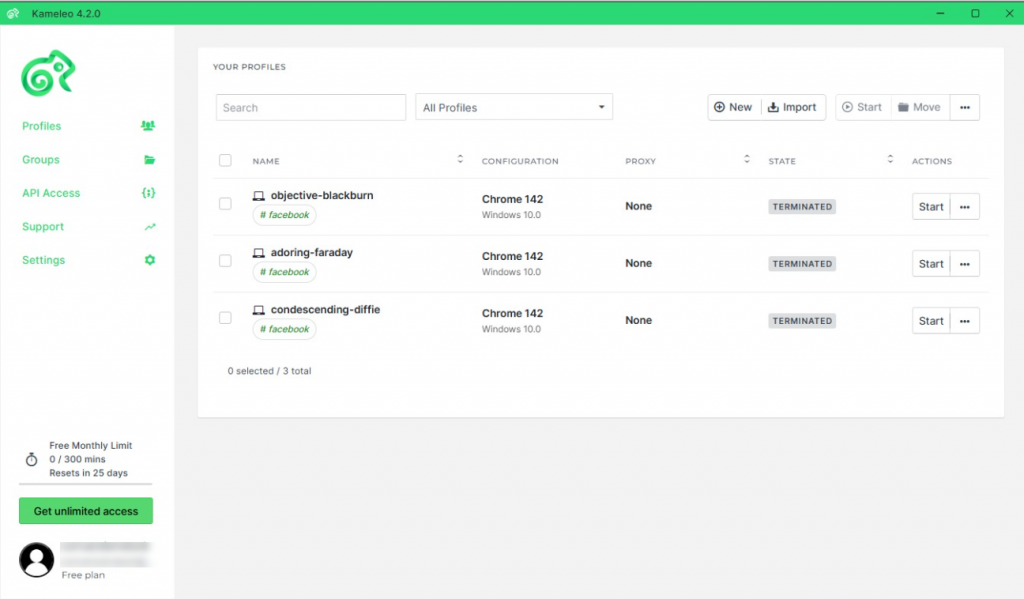
Kameleo supports both desktop and mobile fingerprint emulation. Users can simulate Android and iOS environments, in addition to customizing common desktop signals, including Canvas, WebGL, WebRTC, Fonts, and Audio. The level of manual control is significant, especially in mobile use cases where fingerprinting vectors behave differently.
Team features
Profiles can be shared via cloud-based workspaces with access roles and user management. While it isn’t built for agency-scale deployment, it supports small teams and individual operators working across environments.
Automation tools
Offers local API access and SDKs for Python and C#. Mobile automation through Android emulation is supported, making Kameleo best positioned for mobile app testing and anti-fraud simulation.
Security & data storage
Profile data is stored locally by default. Users can export encrypted backups, giving them control over when and how data leaves their device. This setup provides flexibility while maintaining strong isolation.
Good for:
Mobile-first testers and fraud sim specialists who need to emulate Android or iOS devices. With its deep manual tuning and SDK support, it is ideal for those exploring mobile-specific fingerprint vectors. If mobile stealth matters, this one’s ahead of the pack.
Fingerprint protection
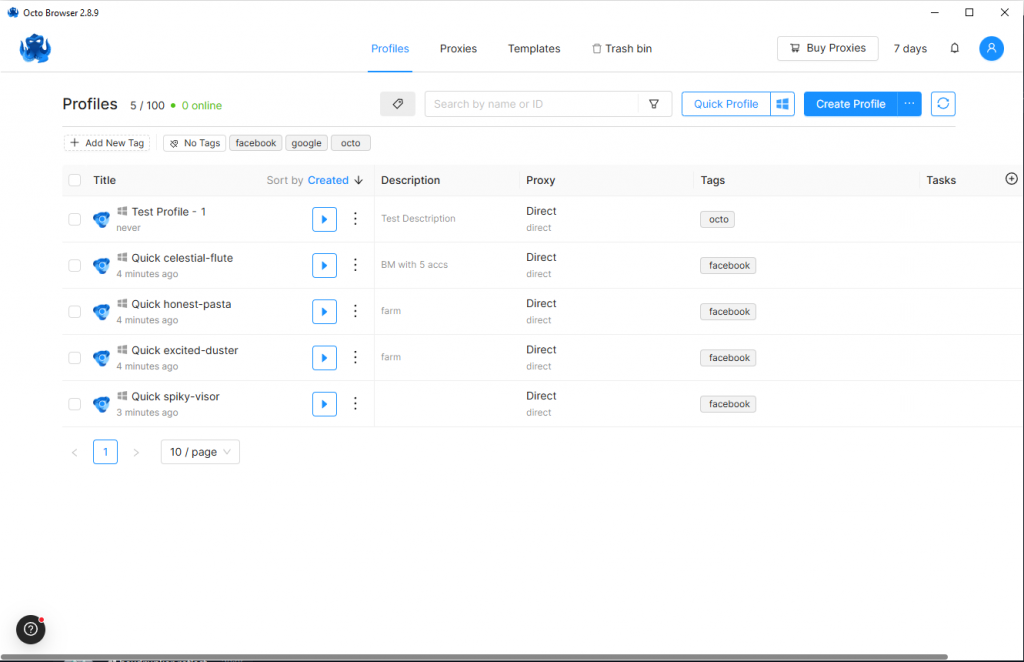
Octo provides manual configuration across over 50 fingerprint parameters, including Canvas, Fonts, WebRTC, Audio, and user-agent variants. It supports importing real-world fingerprints.
Team features
Users can group profiles by project or client and assign permissions per workspace. This setup fits naturally into workflows where an anti-browser is used across different campaigns or client accounts.
Automation tools
Built for technical teams, Octo integrates with Puppeteer and Selenium and offers an API for large-scale scripting. It doesn’t include a visual automation interface, so some coding is required.
Security & data storage
The default mode is local-first. Users can activate encrypted cloud sync if needed. Profile integrity is preserved using sandboxed containers, helping prevent leakage across environments.
Good for:
Technical users who’d rather write automation than click through menus. Finely tuned fingerprint settings and solid API make it a favourite among coders running scripted identity stacks. It’s not built for beginners, but it’s rewarding if you really get to grips with it.
Fingerprint protection
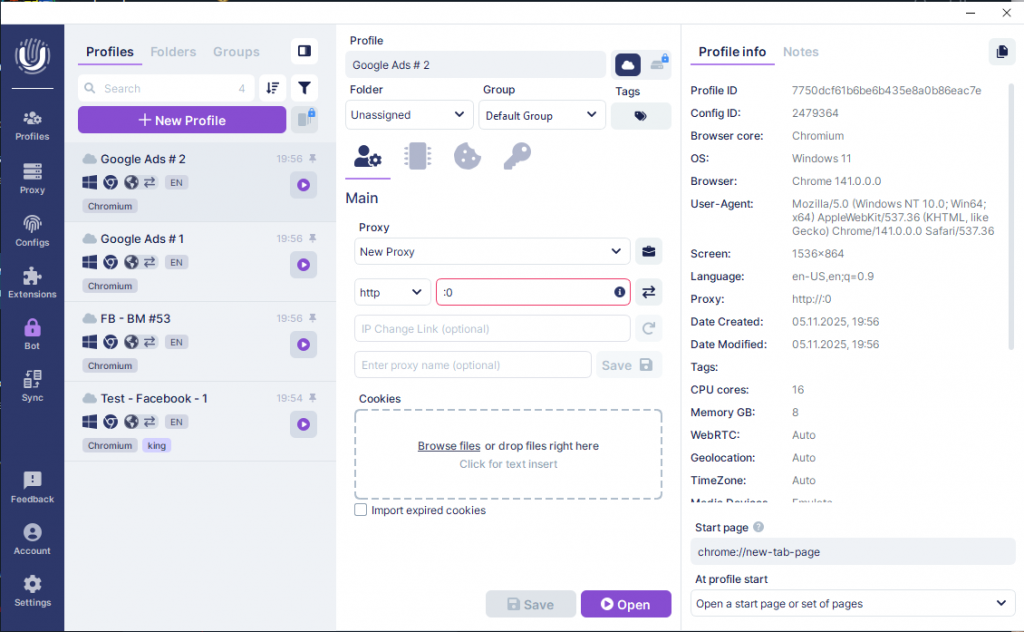
Undetectable allows importing real device fingerprints and manual tweaking of core values such as Canvas, Fonts, AudioContext, WebGL, and more. This level of control is exactly what many users expect from an anti-detect browser, as its hybrid approach combines unique, realistic profiles with entropy smoothing, making it suitable for both general stealth and advanced use cases.
Team features
Undetectable supports cloud-synced profiles, team dashboards, and role-based permissions. With over 30 configurable access controls, it’s a strong fit for teams managing large-scale identity operations across multiple clients or projects.
Automation tools
Undetectable offers a local API and supports integration with Puppeteer, Playwright, and Selenium. A command-line interface and Node.js SDK are also available for embedding into broader automation stacks. Example scripts are provided, though there’s no official template library or visual builder.
Security & data storage
Profiles can be stored either locally or in the cloud. Data is encrypted and requires secure login credentials. There are no publicly known security incidents to date. It can be classified as a privacy-centric browser thanks to its local profile storage and strong session isolation.
Good for:
Ops teams are managing a high volume of accounts across clients or projects. It offers serious control with its role-based access, CLI tools, and fingerprint import options. If entropy smoothing and realistic profiles are your goals, it’s a heavyweight option.
Fingerprint protection
Wade provides preset-based fingerprinting with the option for manual customization of 20+ parameters, including OS, language, fonts, and geolocation.
Team features
Wade supports cloud-based collaboration through team clusters, with role-based access, profile sharing, and real-time synchronization across multiple users.
Automation tools
Wade includes a local automation API, supports integration with Selenium via ChromeDriver, and provides programmatic access for profile management and task automation.
Security & data storage
Wade uses encrypted cloud storage for team profiles via cluster sync. While local usage is possible, default setups rely on cloud-based profile management.
Good for:
Organizations that want synced collaboration across users without compromising on parameter tuning. Real-time cloud clusters and local API access make it a go-to for structured teams. It’s not the most eye-catching option, but it’s quietly efficient.
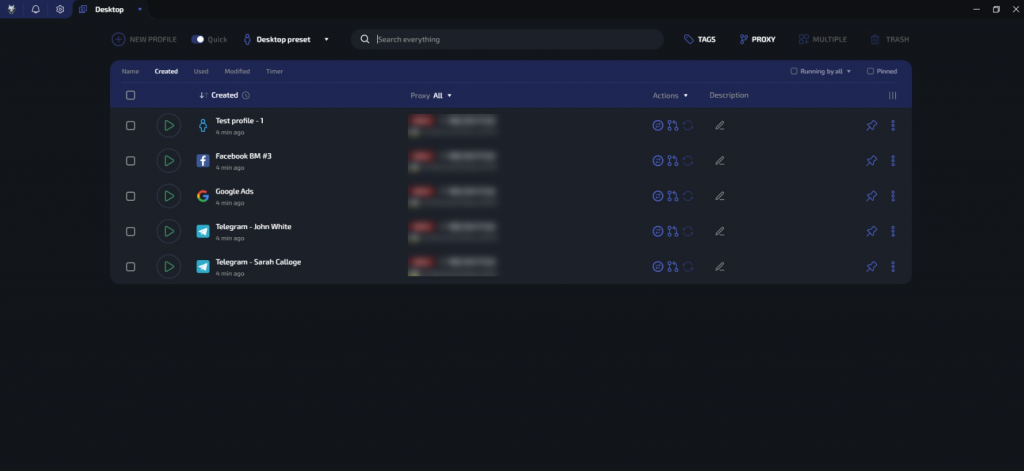
Fingerprint protection
BitBrowser provides over 30 customizable fingerprint parameters, including WebRTC, timezone, Canvas, and screen resolution, offering mid-level control suitable for most use cases.
Team features
Supports role-based access with customizable roles, profile grouping by project, and real-time sync for all team members. The platform enables granular control over team actions.
Automation tools
Includes a drag-and-drop RPA builder and local REST API. While Puppeteer and Selenium aren’t directly embedded, developers can integrate them via the API for scalable, headless automation.
Security & data storage
Allows encrypted cloud sync and local profile storage. No known breaches have been reported. Encryption details are not publicly disclosed, and audit tools are not documented.
Good for:
Teams that are new to automation or scaling can learn these concepts gradually. The drag-and-drop builder makes it easy to get started, while the REST API allows for more advanced use later on. It is also useful for operations that combine manual workflows with script-based tasks.
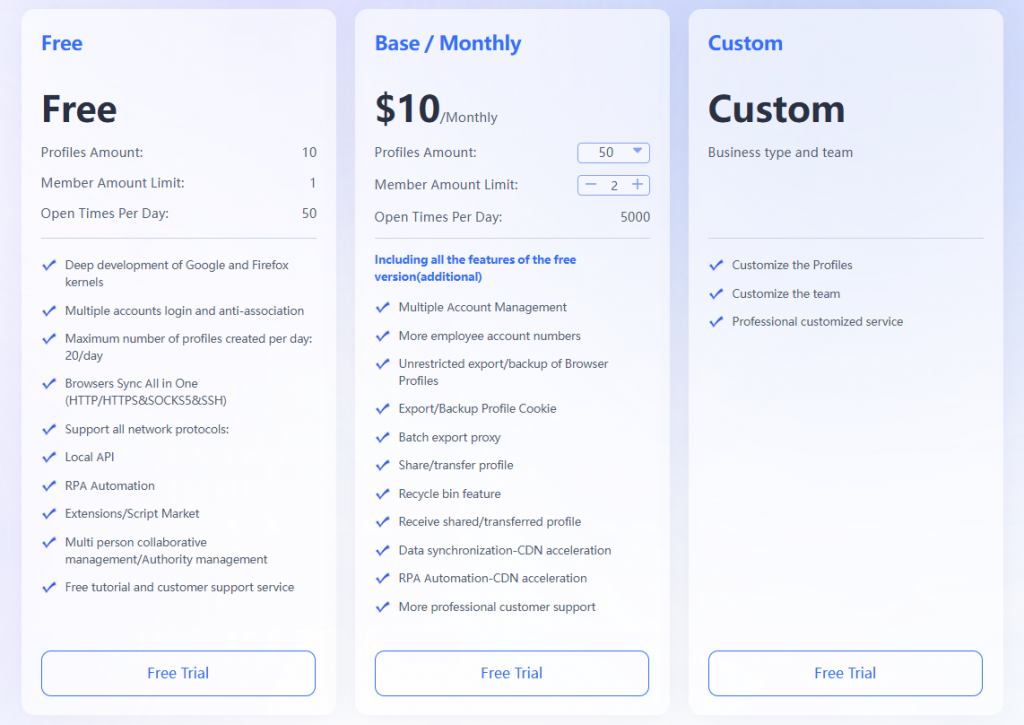
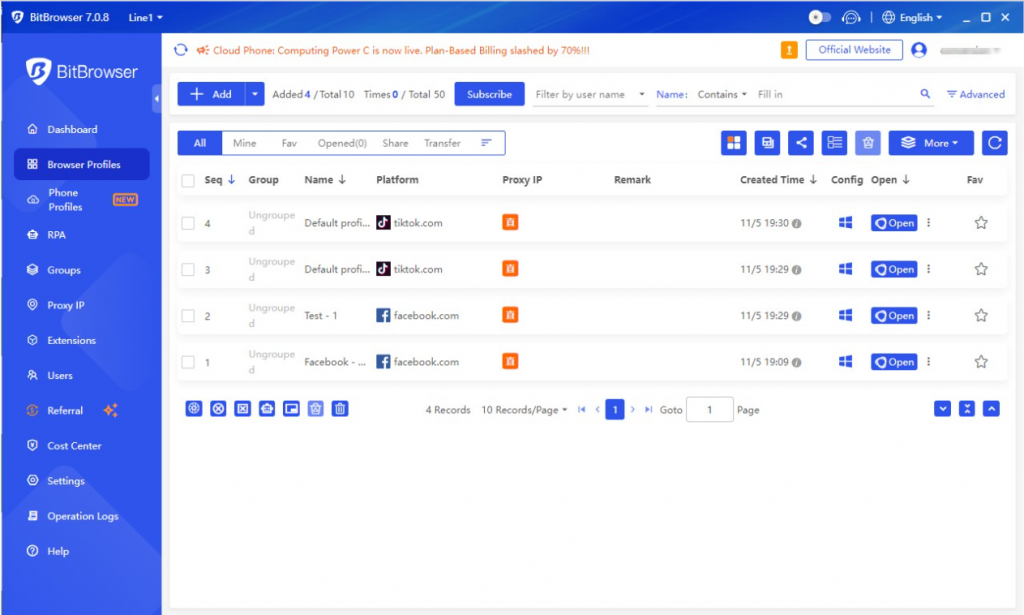
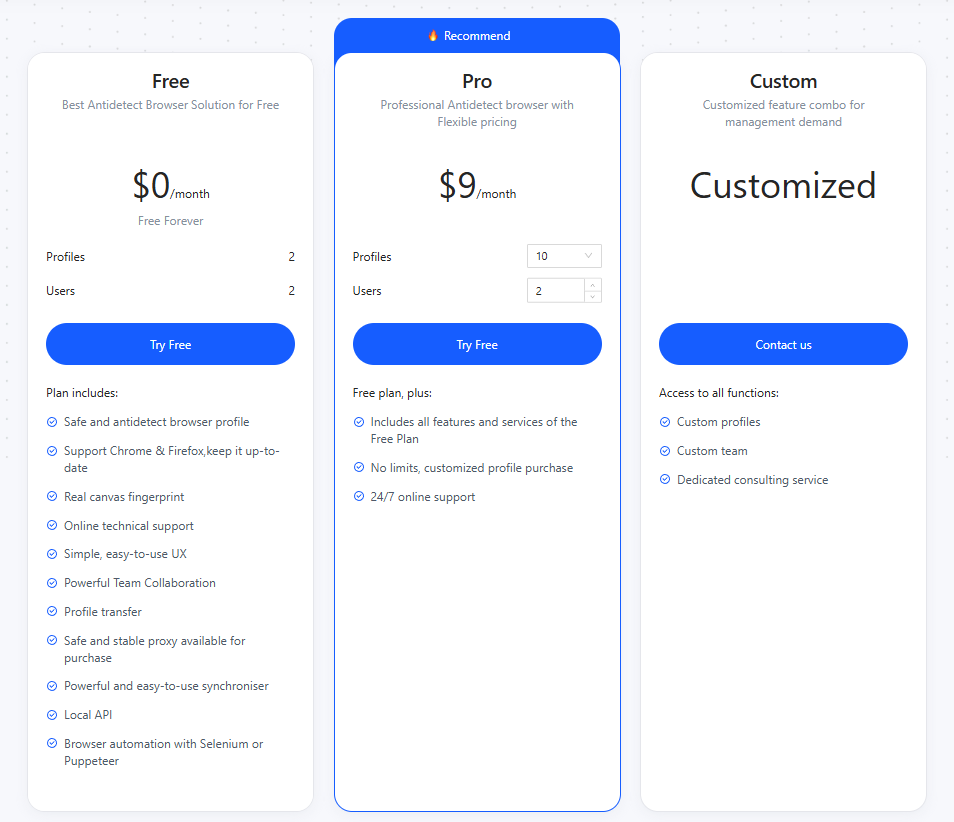
Fingerprint protection
Offers fast fingerprint generation with 15+ configurable parameters like OS, timezone, language, and WebRTC. While customization is limited compared to advanced tools, profiles are designed to avoid duplication during large-scale use.
Team features
Supports role-based access and profile grouping. With the Group Authorization feature, admins can assign profile collections to specific team members, enabling project-level control, though granularity remains below that of top-tier team tools.
Automation tools
API access is included, with support for remote task triggers via third-party tools. This kind of setup is typical for an anti-detect browser that focuses on external integrations rather than built-in scripting.
Security & data storage
All data is stored in the cloud and encrypted during transit. There’s no option for offline use, which may be a concern in some privacy-sensitive environments.
Good for:
Anyone getting started with anti-detect tooling who wants a free, flexible cloud setup. It’s not trying to be the most powerful, just the most accessible. If you’re testing ideas or running light operations, it checks the right boxes.
This table compares real technical limits, not claims. We selected fingerprint control, storage type, automation tools, and entry pricing because these define how scalable, private, and customizable each browser is in practice.
|
Browser |
Fingerprint Control |
Storage Model |
Automation Tier |
Entry Plan |
|
Linken Sphere |
Full manual editing, hybrid logic |
Local + optional encrypted Cloud |
API + no-code RPA |
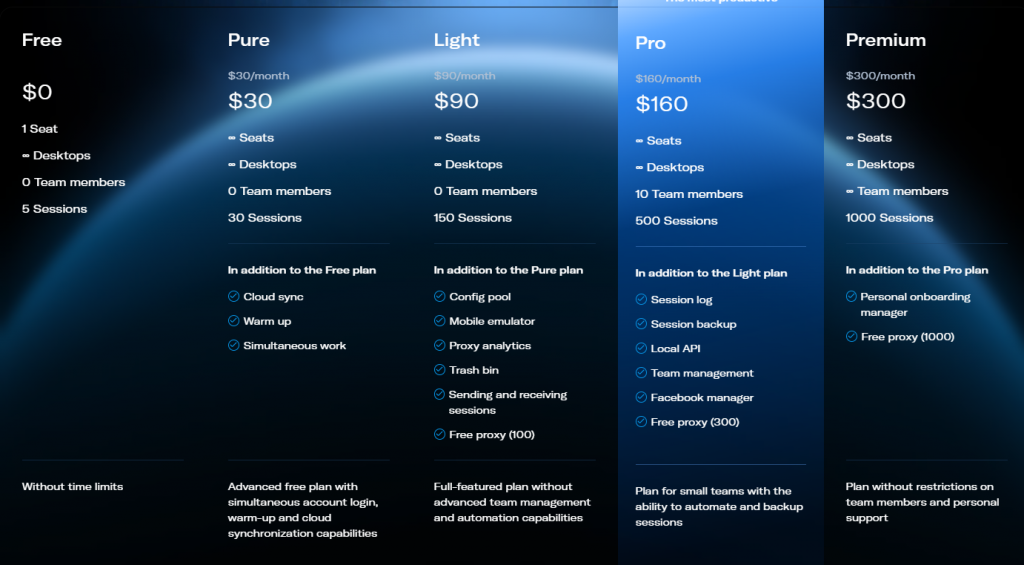
Free: 5 sessions; Paid: from $24/month |
|
Multilogin |
Simulated via Mimic/Stealthfox |
Cloud only |
API + CLI + Puppeteer |
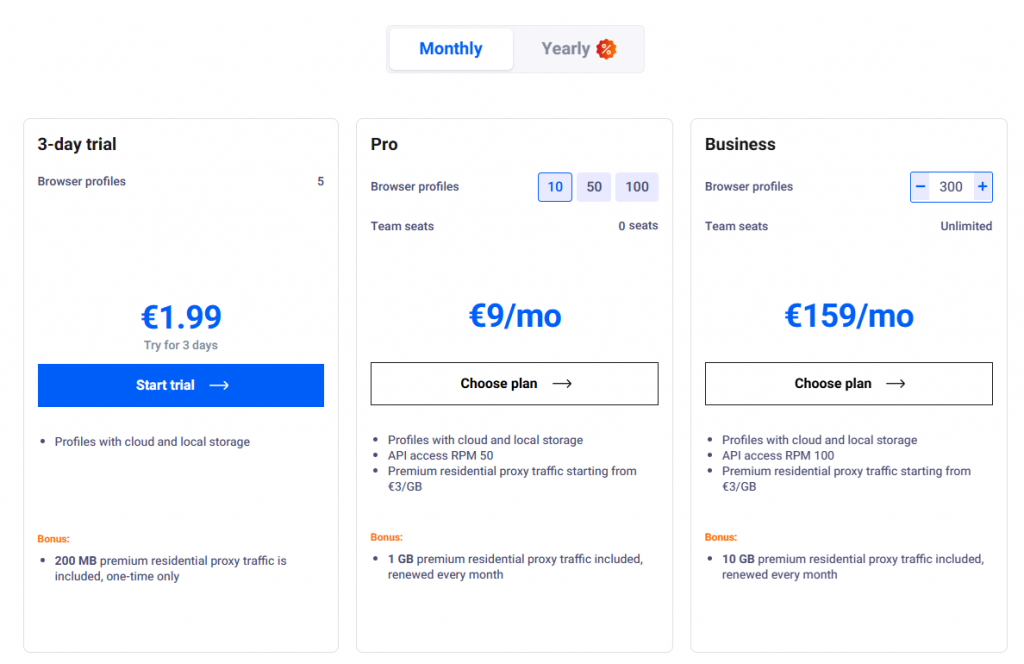
Trial: €1.99 for 3 days (5 profiles); Paid: from €9/month for 10 profiles |
|
GoLogin |
Automatic presets only |
Cloud only |
API + Puppeteer |
Paid: from $49/month for 100 profiles; no free plan |
|
AdsPower |
Templates with some user control |
Local + Cloud |
Visual RPA + local API |
Free: 5 profiles; Paid: from $5.4/month (annual) for 10 profiles |
|
Dolphin Anty |
Fixed model generation |
Cloud only |
JSON scripts + API |
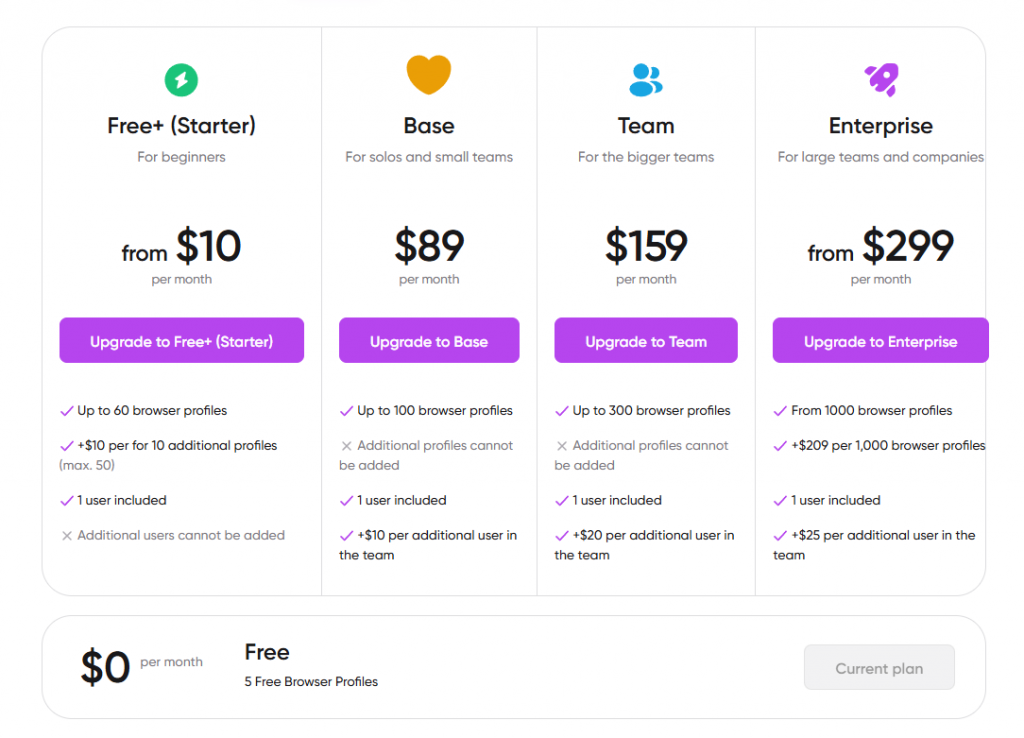
Free: 10 profiles; Paid: from $10/month for 60 profiles |
|
Incogniton |
Auto templates with partial manual tuning |
Cloud only |
CSV + Puppeteer + Selenium |
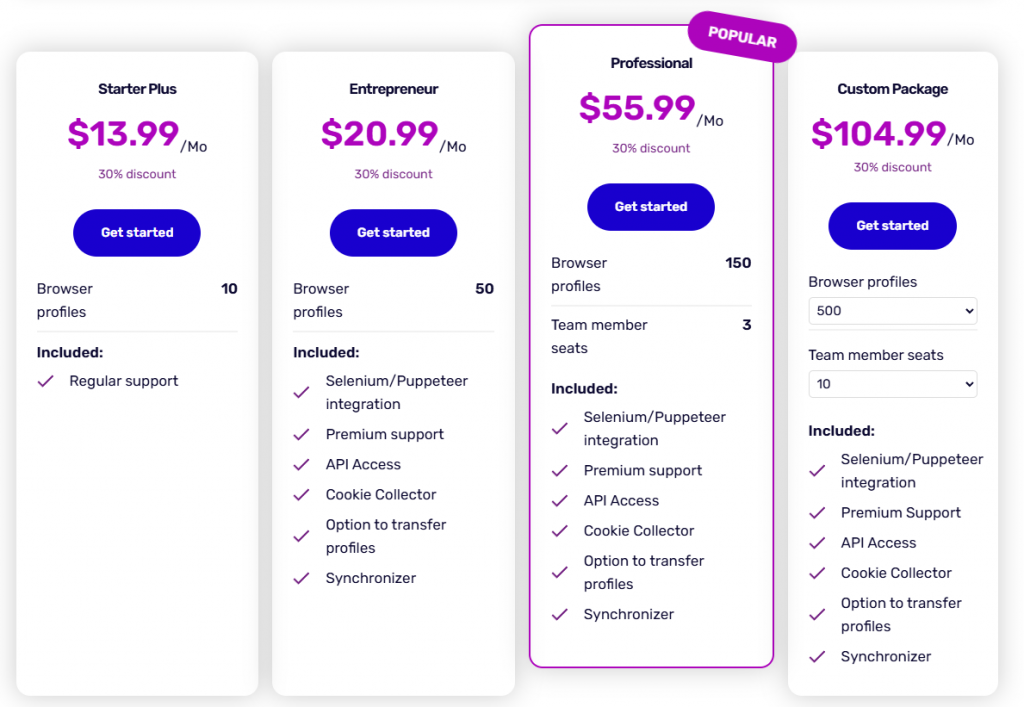
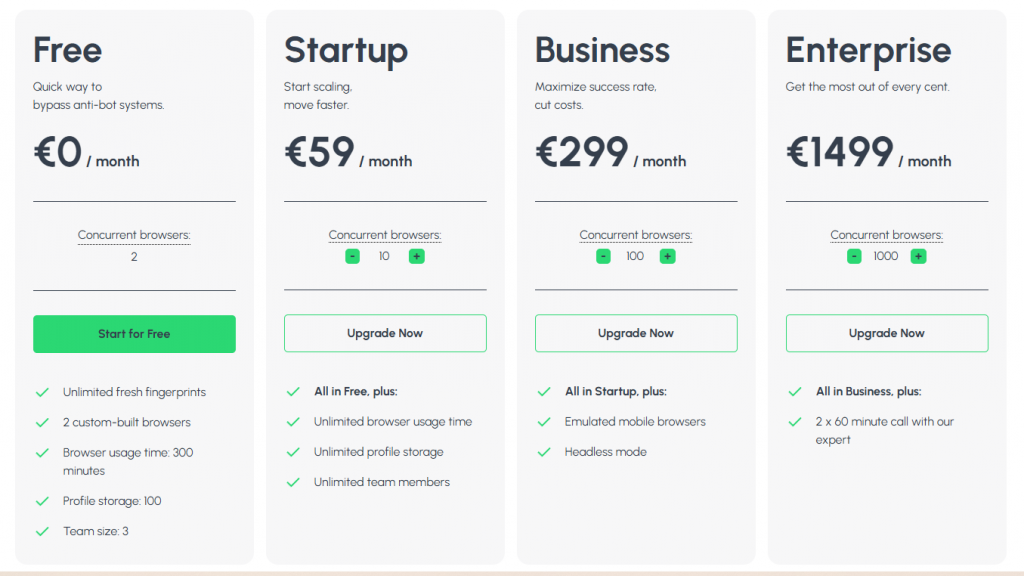
Free: 10 profiles (for 2 months); Paid: from $13.99/month for 10 profiles |
|
Kameleo |
Deep config incl. mobile fingerprint |
Local by default |
API (Python, C#) + Android |
No free plan; Paid: from €29/month (2 automated browsers) |
|
Octo Browser |
Manual setup for 50+ parameters |
Local-first, optional cloud |
API + Puppeteer + Selenium |
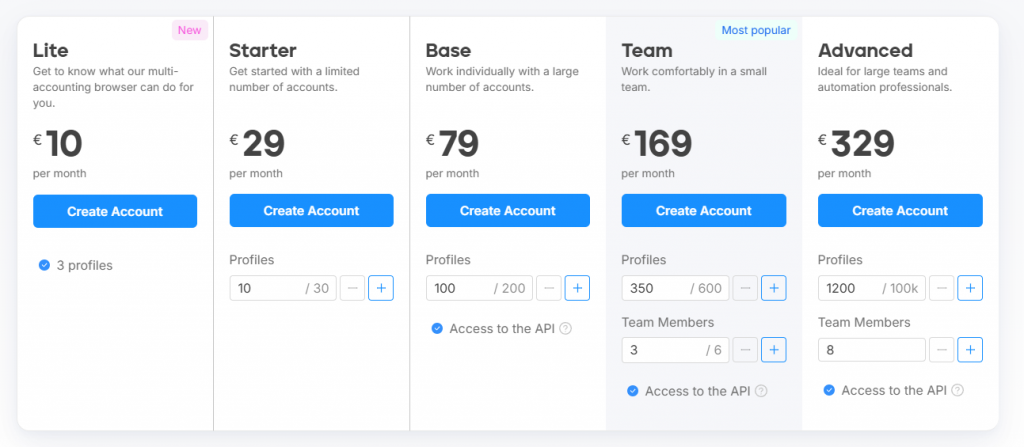
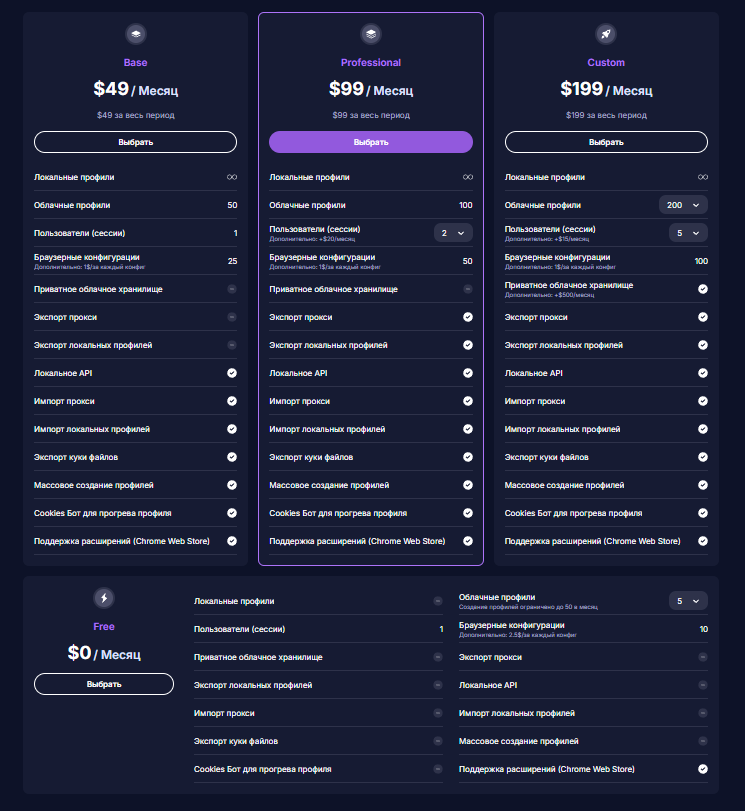
Free: €7/month for 3 profiles (Lite); Paid: from €21/month for 10 profiles; |
|
Undetectable |
Real fingerprint import + editing |
Local + Cloud |
API + Puppeteer + CLI tools |
Free: 5 cloud profiles; Paid: from $49/month for 50 cloud profiles |
|
Wade |
Presets with manual control (20+ parameters) |
Local only |
Local API + Selenium integration |
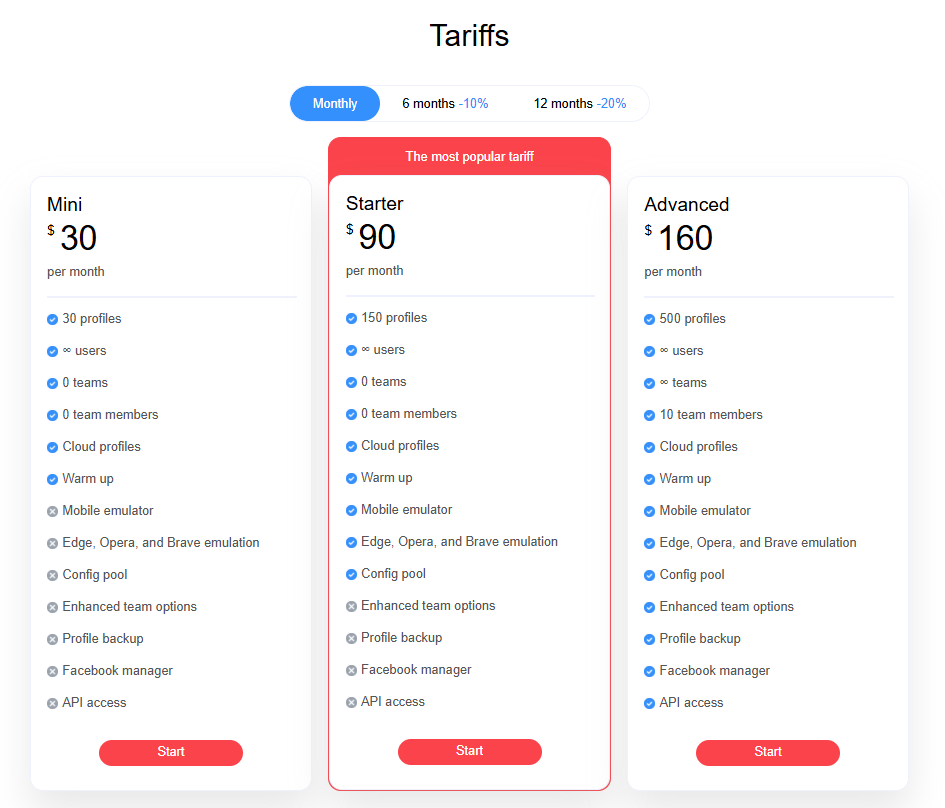
No free plan; Paid: from $30/month for 30 profiles |
|
BitBrowser |
30+ configurable parameters |
Local + Cloud |
REST API + basic scripting |
Free: 10 profiles; Paid: from $10/month for 50 profiles |
|
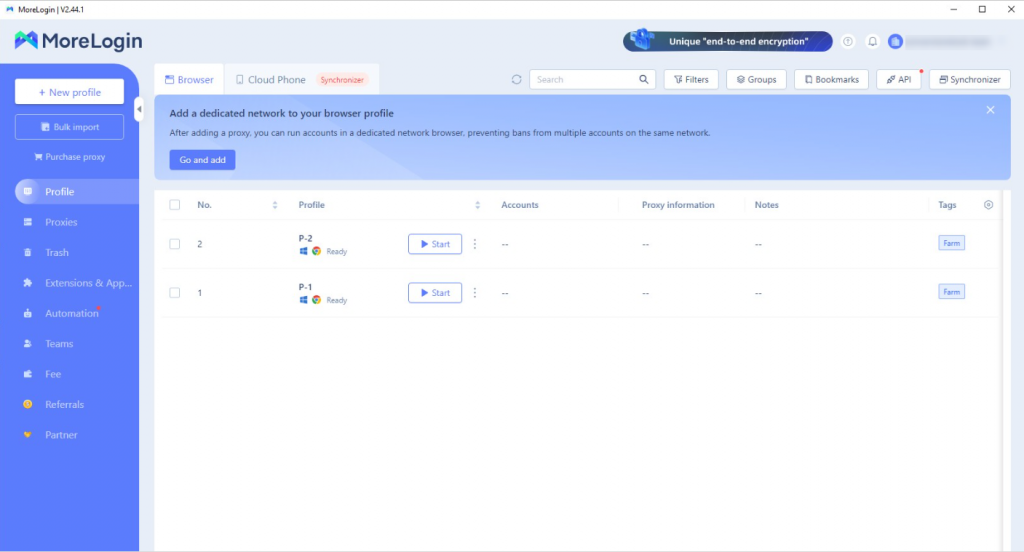
MoreLogin |
Auto-generated, template-based |
Cloud only |
REST API + external triggers |
Free: 2 profiles; Paid: from $5.4/month for 10 profiles |
|
Feature |
Benefit |
|
Ensures authenticity and untraceable traffic |
|
|
Global Coverage |
Country, region, and city-level targeting |
|
Fast Proxy Rotation |
Ideal for high-frequency multi-account operations |
|
Protocol Support |
Full compatibility with HTTP/HTTPS |
|
Secure Authentication |
IP Whitelisting and credential-based access |
Start with your needs — not all browsers are built for the same job. Some prioritize control, others automation, or simplicity. The right choice depends on how sensitive your use case is, how many profiles you manage, and how technical your team is.
For privacy-first work, tools like Linken Sphere, Octo, and Kameleo offer unmatched control over fingerprint entropy. If speed and workflow coordination matter more, look at AdsPower, Multilogin, or MoreLogin. Entry-level tools are fine for learning and testing, but scaling up usually means switching to a more customizable stack.
Whether you’re running stealth ecom campaigns or building resilient stacks, choose a tool that meets your operational model — not just the one trending as a top anti-detect browser.
Frequently asked questions
What is an antidetect browser, and what is it mainly used for?
It’s a tool that masks browser fingerprints (like Canvas, time zone, fonts). It creates separate virtual browsing environments for each account, making platforms think they’re from different devices. It’s mainly used to keep multiple accounts safe.
What’s the difference between antidetect browsers, and proxies?
Proxies only change your IP address, but can’t hide browser fingerprints (platforms still recognize your device via screen resolution, system info.
What features should I look for in an antidetect browser in 2025?
Focus on three key points: ① Realistic fingerprints ② Fits your needs③ Security & cost.
About the author
Jenny is a Content Specialist with a deep passion for digital technology and its impact on business growth. She has an eye for detail and a knack for creatively crafting insightful, results-focused content that educates and inspires. Her expertise lies in helping businesses and individuals navigate the ever-changing digital landscape.
The thordata Blog offers all its content in its original form and solely for informational intent. We do not offer any guarantees regarding the information found on the thordata Blog or any external sites that it may direct you to. It is essential that you seek legal counsel and thoroughly examine the specific terms of service of any website before engaging in any scraping endeavors, or obtain a scraping permit if required.
 Looking for
Top-Tier Residential Proxies?您在寻找顶级高质量的住宅代理吗?
Looking for
Top-Tier Residential Proxies?您在寻找顶级高质量的住宅代理吗?
How to Scraping Dynamic Websites with Python?
In this article, learn how to ...
Anna Stankevičiūtė
2026-03-03

Scraping Yahoo Finance using Python
Xyla Huxley Last updated on 2026-03-02 10 min read […]
Unknown
2026-03-03

TCP Deep Dive with Wireshark
Xyla Huxley Last updated on 2026-03-03 6 min read TCP i […]
Unknown
2026-03-03

Web Scraping with Python using Requests
Xyla Huxley Last updated on 2026-03-03 6 min read Web c […]
Unknown
2026-03-03

Crawl4AI: Open-Source AI Web Crawler with MCP Automation
Xyla Huxley Last updated on 2026-03-03 10 min read AI a […]
Unknown
2026-03-03

Using Wget with Python: A Practical Guide for Reliable, Scalable Web Data Retrieval
Xyla Huxley Last updated on 2026-03-03 10 min read […]
Unknown
2026-03-03

How to Make HTTP Requests in Node.js With Fetch API (2026)
A practical 2026 guide to usin ...
Kael Odin
2026-03-03

How to Scrape Job Postings in 2026: Complete Guide
A 2026 end-to-end guide to scr ...
Kale Odin
2026-03-03

BeautifulSoup Tutorial 2026: Parse HTML Data With Python
A 2026 step-by-step BeautifulS ...
Kael Odin
2026-03-03
