


Web Scraper API
Fetch real-time data from 100+ websites,No development or maintenance required.
SCRAPING SOLUTIONS
Get accurate and in real-time results sourced from Google, Bing, and more.
With 120+ prebuilt and custom scrapers ready for any use case.
No blocks, no CAPTCHAs—unlock websites seamlessly at scale.
Execute scripts in stealth browsers with full rendering and automation
PROXY INFRASTRUCTURE
Over 100 million real residential IPs from genuine users across 190+ countries.
Reliable mobile data extraction, powered by real 4G/5G mobile IPs.
For time-sensitive tasks, utilize residential IPs with unlimited bandwidth.
Fast and cost-efficient IPs optimized for large-scale scraping.
SCRAPING SOLUTIONS
PROXY INFRASTRUCTURE
DATA FEEDS
Full details on all features, parameters, and integrations, with code samples in every major language.
LEARNING HUB
ALL LOCATIONS Proxy Locations
TOOLS
RESELLER
Get up to 50%
Contact sales:partner@thordata.com
Products $/GB
Fetch real-time data from 100+ websites,No development or maintenance required.
Get real-time results from search engines. Only pay for successful responses.
Execute scripts in stealth browsers with full rendering and automation.
Bid farewell to CAPTCHAs and anti-scraping, scrape public sites effortlessly.
Dataset Marketplace Pre-collected data from 100+ domains.
Over 100 million real residential IPs from genuine users across 190+ countries.
Reliable mobile data extraction, powered by real 4G/5G mobile IPs.
For time-sensitive tasks, utilize residential IPs with unlimited bandwidth.
Fast and cost-efficient IPs optimized for large-scale scraping.

Data for AI $/GB
Pricing $0/GB
Docs $/GB
Full details on all features, parameters, and integrations, with code samples in every major language.
Resource $/GB
EN $/GB
产品 $/GB
AI数据 $/GB
定价 $0/GB
产品文档 $/GB
资源 $/GB
简体中文 $/GB
Many CAPTCHA problems in a data pipeline do not look like outages: an interstitial page is parsed as content, retries eat proxy traffic, and records quietly fail validation. The design recommended here moves CAPTCHA handling into a monitored layer of its own. A challenge detector checks each response for a CAPTCHA and decides whether to solve, back off or stop, and the managed API is called only when the decision is to solve.
If you are an engineer or technical lead running authorised collection (QA on your own sites, a feed covered by a data agreement, public pages whose terms permit automated access), this is written for you. The sections below cover how the detector decides, how to pick a solving method, what to measure and where the boundaries sit. The site’s terms, rate limits, and privacy and copyright rules apply throughout.
In this article, a CAPTCHA challenge means any check, visible or score-based, that a site runs to tell people apart from automated clients. Some sites show a challenge to every visitor on sensitive forms such as login or sign-up. When one appears on ordinary pages, the target often considers your traffic suspicious, so diagnose before you solve.
Common triggers include:
Validate these triggers against a sample of your own target pages before you encode them as rules. So before you think about solving, work out why the challenge appeared.
Start by checking whether the traffic pattern is reasonable for this site and whether you are authorised to access it at all. Solving does not fix poor traffic hygiene.
Once a challenge is confirmed inside an authorised workflow, route it to a managed API rather than to ad hoc manual work or homegrown code that breaks whenever the challenge changes.
Stop instead of solving when any of these apply:
CAPTCHA solving belongs between routing and parsing, behind a detector that decides whether a solve is appropriate. Placed there, it stays visible in logs and metrics instead of hiding inside the parser.

| Stage | Role |
| seed URLs | Approved targets for the job. |
| scheduler | Sets timing, concurrency and rate limits for each target. |
| proxy route | Chooses the exit region and session for each request. |
| challenge detector | Inspects every response, including non-2xx ones, for a CAPTCHA and chooses solve, back off or stop. |
| solving layer (API) | Turns an authorised challenge into a solution (usually a token, sometimes a cookie, text or click coordinates) or a reported failure. |
| parser | Extracts fields from the returned page. |
| validation | Rejects records with missing required fields, including challenge pages, whether they arrive as HTTP 200 or as 403, 429 or 503. |
| audit log | Records each challenge, decision and outcome. |
Not every challenge page arrives with a 200 status. Cloudflare’s full-page challenge, for example, is served with HTTP 403 on the first request. A detector that only inspects 200 responses will send such pages into generic error handling and blind retries.
A token is the value the target site expects back as proof that the challenge was completed. Tokens are short-lived and single-use: Google documents a two-minute validity for reCAPTCHA response tokens, Cloudflare documents five minutes for Turnstile, and each token can be verified only once. Tokens are bound to the site key and hostname they were issued for, and often to an action as well. Use them immediately and never cache or reuse them. Some challenges are cleared with a cookie instead of a token; Cloudflare’s challenge page, for example, can be cleared with a cf_clearance cookie.
The detector has three outcomes, and solving is only one of them:
Three design principles keep the layers apart:
A language-agnostic interface keeps that boundary explicit:

Most managed APIs are asynchronous: you create a task, then poll for its result. The adapter behind this interface should own polling, timeouts and the mapping of provider error codes to retryable. An unsupported task type, for instance, should stop the job, not trigger retries.
The solver behind that interface can be CapMonster Cloud, an API-first solving service that the pipeline calls once the detector has passed on an authorised challenge. Before it carries production traffic, run it against a sample of your own target pages and check the results.
For production pipelines at volume, an API-based solver is usually the stronger fit. It runs server-side, returns structured results and can be monitored like any other dependency.
| Method | Scalability and throughput | Headless or server-side fit | Observability and logging | Human involvement | Best-fit use case |
| API service | High; scales with concurrent calls | Strong; built for programmatic calls | Structured responses, logged per request | None on your side per challenge | Production pipelines at volume |
| Browser extension | Limited to open browser sessions | Partial; needs a browser with the extension loaded (headed, or a headless mode that supports extensions) | Depends on browser-side logging | Low; someone manages the browser | Interactive, low-volume work and QA |
| Manual fallback | Low; bound by operator time | Limited; needs a person in the loop | Only what the operator records | Full | Rare edge cases and review |
Extensions are practical when a person already works in the browser, for example during QA of your own site. Manual solving is still worth keeping for occasional edge cases and for reviewing what the detector has flagged.
With an API-based service such as CapMonster Cloud, your code creates a solving task with the challenge parameters and polls for the result. That result is either a solution (usually a token, sometimes a cookie, recognised text or click coordinates) or a failure, and the pipeline can log and handle both.
Supported task types change over time, so look at the provider’s current list before you map your challenge types to it. As of September 2026, CapMonster Cloud’s documentation lists reCAPTCHA v2, reCAPTCHA v3, reCAPTCHA Enterprise (v2 and v3), Cloudflare Turnstile and image-to-text recognition among its supported types, alongside a range of less common ones.
From the pipeline’s point of view, the main challenge types differ as follows:
Test each type on a sample of your target pages, since sites configure them differently.
Four core metrics show whether the CAPTCHA layer is working: challenge rate, solve time, retry rate and cost per valid record. A fifth, token acceptance rate, catches solves the site still rejects. Track each per target and per route, so a problem on one site does not disappear into an average.
Reliable solving can lower cost per valid record, as long as the savings exceed the solving fees: fewer pages fail, fewer requests are retried, less proxy and compute spend goes to dead ends, and fewer records are discarded at validation.
Hypothetical example: a job spends 100 cost units on 1,000 records, and 200 of those records turn out to be challenge pages. Only 800 records are valid, which puts the cost per valid record at 0.125 units instead of the 0.1 you would expect.
When the challenge rate rises, revisit the request rate and navigation pattern for that target before you increase solve volume. Baseline all five metrics on your own traffic before you set alert thresholds.
Many failures in the CAPTCHA layer trace back to how teams use the solver.
Treating the solver as a volume dial. A solver should not be treated as a throughput control. Fix the request pattern first, because solving does not make aggressive collection acceptable.
Ignoring rate-limit responses. An HTTP 429 response asks for fewer requests. Honour the Retry-After header when present; it can be a number of seconds or an HTTP date, and 503 responses may carry it too. Slow the job rather than retrying at the same pace. Route 429 responses to the back-off branch; they are a rate signal, not a challenge to solve.
Keeping no audit trail. Log the timestamp, target, challenge type, decision, outcome, latency and cost for every CAPTCHA event. Leave out credentials, secrets, the provider API key, solved tokens, clearance cookies and unneeded personal data. Set a retention period, and confirm on a pilot job that every field is populated.
Ignoring legal and terms-of-service boundaries. A working solve does not show that collection is permitted, so check the points below first.
Public availability does not equal permission to collect at scale or to republish. Read the target’s terms of service and robots.txt before the job goes into production. Keep in mind that robots.txt tells crawlers what the site owner prefers to hide; RFC 9309 states explicitly that its rules are not a form of access authorization.
Once personal information is in the data, privacy laws may set rules for how you collect, store, share and use it. Examples are the GDPR and, for businesses that meet its thresholds, the CCPA. The content itself can also be protected by copyright and, in the EU and UK, by the sui generis database right.
Never solve CAPTCHAs to reach authenticated or paywalled areas without authorisation. Some terms of service prohibit circumventing CAPTCHAs or bot protection outright. In some jurisdictions, bypassing technical access controls can also raise issues under computer-misuse law. For commercial projects, get a legal review before launch; this article is not legal advice.
Before a job leaves the pilot stage, confirm your team can answer:
The goal is not to solve every challenge. The goal is a CAPTCHA layer whose decisions are logged, measured and open to review, so every solve, back-off and stop can be explained with evidence.
 Looking for
Top-Tier Residential Proxies?您在寻找顶级高质量的住宅代理吗?
Looking for
Top-Tier Residential Proxies?您在寻找顶级高质量的住宅代理吗?
開店之前,先買一張地圖:展店選址的資料採購清單
連鎖品牌展店選址的成敗,一半在租金談判之前就決定了——商圈密 ...
Xyla Huxley
2026-10-13

The Pricing Team’s First Data Vendor: A One-Page Due Diligence
Pricing teams are expert buyers of software and naive b […]
Unknown
2026-10-13
Ten Weeks Inside a Trend Desk: Notes From the Team That Stopped Scraping TikTok
A consumer-insights team runni ...
Xyla Huxley
2026-10-13
What a Text-to-Video Team Actually Buys First
The text-to-video race gets na ...
Xyla Huxley
2026-10-13
Markdown, Parquet, and the Death of the Crawler: What “RAG-Ready” Data Actually Ships As
The phrase on every data buyer’s list in 2026 is […]
Unknown
2026-10-13
You Priced the Scraper at $0: Fixing the Most Expensive Number in Data Sourcing
Every build-vs-buy comparison ...
Xyla Huxley
2026-10-13
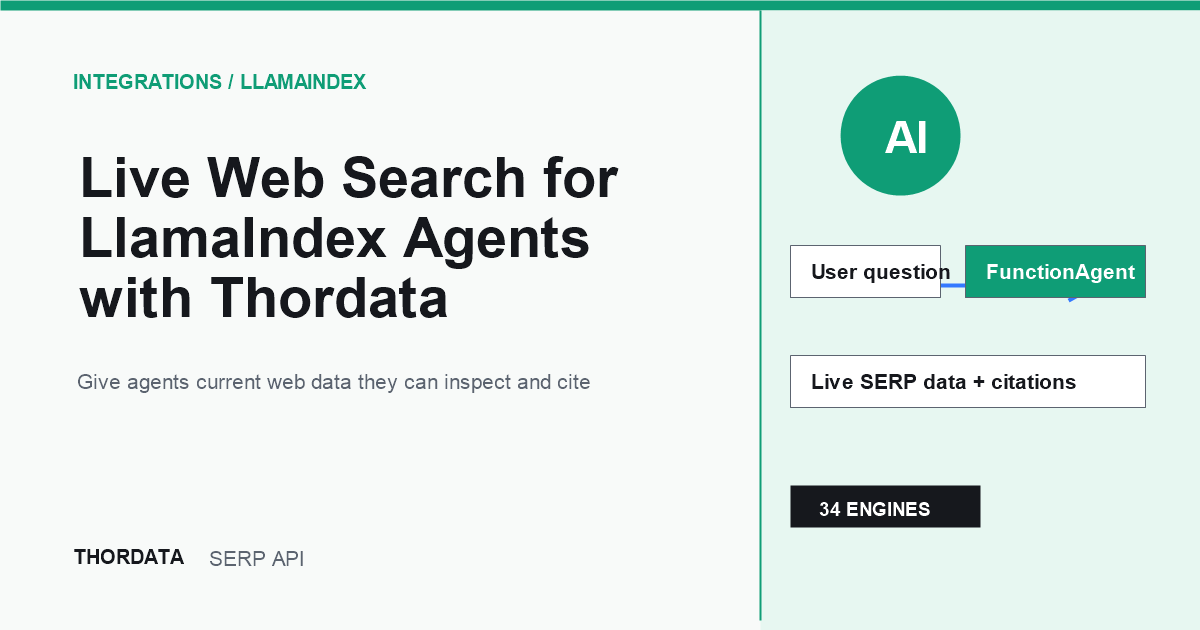
用 Thordata 为 LlamaIndex Agent 接入实时网页搜索
本文介绍如何将 Thordata 实时 SERP 搜索接入 ...
flora
2026-10-13
Live Web Search for LlamaIndex Agents With Thordata
Learn how to connect Thordata’ ...
flora
2026-10-13

Personal Newsfeed With Thordata and n8n
Automate your own news feed wi ...
Xyla Huxley
2026-10-12