


Web Scraper API
Fetch real-time data from 100+ websites,No development or maintenance required.
SCRAPING SOLUTIONS
Get accurate and in real-time results sourced from Google, Bing, and more.
With 120+ prebuilt and custom scrapers ready for any use case.
No blocks, no CAPTCHAs—unlock websites seamlessly at scale.
Execute scripts in stealth browsers with full rendering and automation
PROXY INFRASTRUCTURE
Over 100 million real residential IPs from genuine users across 190+ countries.
Reliable mobile data extraction, powered by real 4G/5G mobile IPs.
For time-sensitive tasks, utilize residential IPs with unlimited bandwidth.
Fast and cost-efficient IPs optimized for large-scale scraping.
SCRAPING SOLUTIONS
PROXY INFRASTRUCTURE
DATA FEEDS
Full details on all features, parameters, and integrations, with code samples in every major language.
LEARNING HUB
ALL LOCATIONS Proxy Locations
TOOLS
RESELLER
Get up to 50%
Contact sales:partner@thordata.com
Products $/GB
Fetch real-time data from 100+ websites,No development or maintenance required.
Get real-time results from search engines. Only pay for successful responses.
Execute scripts in stealth browsers with full rendering and automation.
Bid farewell to CAPTCHAs and anti-scraping, scrape public sites effortlessly.
Dataset Marketplace Pre-collected data from 100+ domains.
Over 100 million real residential IPs from genuine users across 190+ countries.
Reliable mobile data extraction, powered by real 4G/5G mobile IPs.
For time-sensitive tasks, utilize residential IPs with unlimited bandwidth.
Fast and cost-efficient IPs optimized for large-scale scraping.

Data for AI $/GB
Pricing $0/GB
Docs $/GB
Full details on all features, parameters, and integrations, with code samples in every major language.
Resource $/GB
EN $/GB
产品 $/GB
AI数据 $/GB
定价 $0/GB
产品文档 $/GB
资源 $/GB
简体中文 $/GB

When it comes to performance testing of web applications, Apache JMeter is one of the most popular and widely used open-source tools. It enables users to simulate various user interactions with web applications, APIs, and other online services. However, for more realistic tests, especially when bypassing geographical restrictions, overcoming IP bans, or simulating real-user behaviors, proxies are essential. Thordata Proxy is one such powerful proxy service that can be integrated seamlessly with JMeter to enhance its functionality.
In this comprehensive guide, we’ll walk you through the process of integrating Thordata proxies with JMeter, including the configuration steps involved and the various advantages of using Thordata proxies during performance testing. By the end of this guide, you will not only be able to use JMeter more effectively but also gain insights into why Thordata stands out as a preferred choice for proxy services.
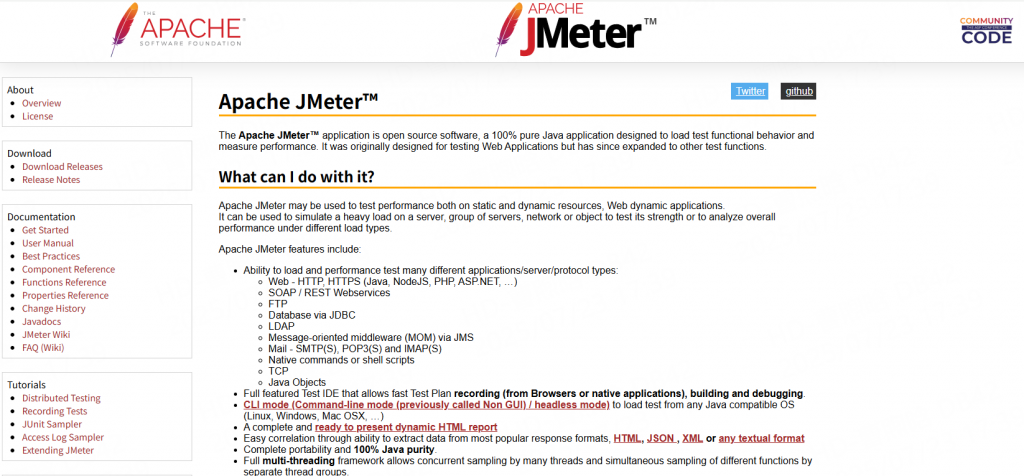
Apache JMeter is an open-source load testing tool designed to analyze and measure the performance of web applications, APIs, databases, and more. It works by simulating multiple user requests, generating load, and collecting metrics like response time, throughput, and error rates. JMeter’s flexibility lies in its modular architecture—supporting plugins, custom scripts, and integration with various protocols (HTTP, FTP, JDBC, etc.)—making it adaptable to diverse testing scenarios. For detailed protocol support, refer to the official JMeter documentation.
While JMeter itself is a powerful tool for testing web applications, it doesn’t natively simulate real-world user behaviors such as IP rotation, geographical restrictions, or browser-specific traffic patterns. This is where proxies come into play.
A proxy server acts as an intermediary between the client (JMeter in this case) and the server under test. It routes all traffic through itself, which can simulate real-world conditions more accurately. Proxies can help.
Bypass geographical restrictions: Some websites and services limit access based on geographic location. Proxies from various regions allow you to bypass these restrictions and test your application’s global performance.
Prevent IP bans: Repeated requests from a single IP during load testing can cause an IP to be blocked or throttled. Using proxies helps distribute requests across different IPs, reducing the risk of bans.
Simulate realistic user behaviors: Using proxies can simulate real users who may have varying locations, browsers, and devices. This helps in performing more realistic tests that reflect actual usage patterns.

Thordata is a premium proxy service provider that specializes in high-performance proxies tailored for a variety of use cases, including performance testing, web scraping, and security applications. The service offers several types of proxies, each designed for specific needs and scenarios. Here’s a look at some of the key features of Thordata proxies:
Thordata offers residential proxies from a wide array of locations, giving you the ability to simulate traffic from any part of the world. Whether you’re testing a website that’s geographically restricted or need to simulate users from different regions, Thordata’s extensive network ensures that you can access IPs from virtually any country.
Thordata residential proxies provide strong anonymity by masking your real IP address. The service routes requests through various IP addresses, ensuring that your testing activities remain undetected. This feature is crucial when bypassing IP bans, testing in sensitive environments, or conducting security-focused tests.
Thordata offers a range of proxy types:
Residential proxies: These proxies come from real residential IPs, which makes them more difficult for websites to detect as bots. Ideal for bypassing CAPTCHAs and geo-blocked content.
Datacenter proxies: High-speed proxies that are excellent for heavy traffic loads and testing performance on websites.
Thordata proxies are designed to ensure minimal latency and high performance during testing. With fast, reliable connections, they are ideal for performance and load testing, where delays or lags can interfere with accurate results.
Integrating Thordata proxies with JMeter enhances your ability to simulate real-user traffic and bypass many of the issues that arise during large-scale tests. Here’s why Thordata proxies stand out as a choice for JMeter integration:
Seamless Integration: Thordata proxies integrate easily with JMeter, requiring minimal setup to get started. Their API and configuration guides make it straightforward to route your test traffic through their proxies.
Variety of Proxy Types: With a mix of residential, data center, and isp proxies, Thordata provides flexibility based on the type of load testing you need to perform.
Global Reach: Thordata’s global proxy network allows you to simulate traffic from multiple regions, which is essential for testing websites with geo-blocking features or global user bases.
Rotating IPs: The ability to automatically rotate IP addresses is a major benefit, ensuring that your JMeter tests are more realistic and reducing the risk of being blocked by the server under test.
Cost-Effective: Thordata offers competitive pricing while maintaining excellent service quality, making it a cost-effective choice for users who require a high-performance proxy service.
Integrating Thordata proxies with JMeter involves a few simple steps. Below, we’ll walk through the necessary steps to configure JMeter to work with Thordata proxies and perform realistic load tests.
1. Open JMeter and create a new test plan.
2. Right-click on the test plan, select “Add” -> “Threads (Users)” -> “Thread Group”.
3. Select “Thread Group” in the left panel, then fill in the properties of the thread group in the right panel, such as the number of threads, loop count, etc.
4. Right-click on the thread group, select “Add” -> “Config Element” -> “HTTP Request Defaults”.
5. In the right panel of HTTP Request Defaults, fill in the relevant information of the proxy server. You can set the hostname, port number, etc. of the proxy server.
6. Select “Thread Group” in the left panel, then click “Add” -> “Sampler” -> “HTTP Request” in the right panel.
7. In the right panel of HTTP Request, fill in the relevant information of the request, such as the request URL, method, etc.
8. Click the “Run” button to start executing the test plan.
For the code part, please refer to Configuring the JVM that the JMeter process runs in
Integrating Thordata residential proxies with JMeter is an effective way to enhance your performance testing capabilities. By routing JMeter’s requests through Thordata’s high-performance proxies, you can simulate real-world traffic patterns, bypass geographical restrictions, and avoid IP bans during extensive load tests. The wide range of proxies available, combined with Thordata’s rotating IP feature, provides a comprehensive solution for modern load testing.
Thordata’s reliable, secure, and fast proxies ensure that your performance testing remains realistic and accurate, helping you pinpoint potential bottlenecks before they affect your production systems. Whether you’re testing a website, API, or mobile application, Thordata proxies provide the flexibility, performance, and reliability you need for successful load testing.
Frequently asked questions
How do I set up Thordata proxy with JMeter?
To set up Thordata proxy with JMeter, configure the proxy settings under JMeter’s “Options” > “Proxy Settings” menu and input the Thordata proxy IP, port, and authentication credentials.
Can I use Thordata proxies for geo-targeted testing?
Yes, Thordata offers global IP coverage, allowing you to simulate traffic from different regions around the world, which is ideal for geo-targeted testing.
Are Thordata proxies suitable for high-volume load testing?
Yes, Thordata proxies are designed to handle large volumes of requests and are perfect for high-traffic scenarios, making them an excellent choice for stress and load testing.
About the author
Jenny is a Content Specialist with a deep passion for digital technology and its impact on business growth. She has an eye for detail and a knack for creatively crafting insightful, results-focused content that educates and inspires. Her expertise lies in helping businesses and individuals navigate the ever-changing digital landscape.
The thordata Blog offers all its content in its original form and solely for informational intent. We do not offer any guarantees regarding the information found on the thordata Blog or any external sites that it may direct you to. It is essential that you seek legal counsel and thoroughly examine the specific terms of service of any website before engaging in any scraping endeavors, or obtain a scraping permit if required.
 Looking for
Top-Tier Residential Proxies?您在寻找顶级高质量的住宅代理吗?
Looking for
Top-Tier Residential Proxies?您在寻找顶级高质量的住宅代理吗?
How to Scraping Dynamic Websites with Python?
In this article, learn how to ...
Anna Stankevičiūtė
2026-03-03

Scraping Yahoo Finance using Python
Xyla Huxley Last updated on 2026-03-02 10 min read […]
Unknown
2026-03-03

TCP Deep Dive with Wireshark
Xyla Huxley Last updated on 2026-03-03 6 min read TCP i […]
Unknown
2026-03-03

Web Scraping with Python using Requests
Xyla Huxley Last updated on 2026-03-03 6 min read Web c […]
Unknown
2026-03-03

Crawl4AI: Open-Source AI Web Crawler with MCP Automation
Xyla Huxley Last updated on 2026-03-03 10 min read AI a […]
Unknown
2026-03-03

Using Wget with Python: A Practical Guide for Reliable, Scalable Web Data Retrieval
Xyla Huxley Last updated on 2026-03-03 10 min read […]
Unknown
2026-03-03

How to Make HTTP Requests in Node.js With Fetch API (2026)
A practical 2026 guide to usin ...
Kael Odin
2026-03-03

How to Scrape Job Postings in 2026: Complete Guide
A 2026 end-to-end guide to scr ...
Kale Odin
2026-03-03

BeautifulSoup Tutorial 2026: Parse HTML Data With Python
A 2026 step-by-step BeautifulS ...
Kael Odin
2026-03-03
